Vivo X300 Ultra vs X200 Ultra: primer contacte i canvis que es noten de debò
Rome Reviews Tech compara el Vivo X300 Ultra acabat d’estrenar amb l’X200 Ultra: kit fotogràfic incompatible, pantalla plana, botó eliminat, migració d’OriginOS i salt de bateria.
El Vivo X300 Ultra arriba amb xifres espectaculars, però el primer contacte de Rome Reviews Tech evita presentar-lo com una revolució automàtica. El creador el posa al costat del seu X200 Ultra, prova accessoris, trasllada la configuració i identifica quins canvis afecten l’ús diari abans d’haver pogut avaluar la càmera amb calma.
És important el moment de la gravació: el telèfon havia arribat aquell mateix matí, encara tenia una actualització de 3 GB pendent i no s’havien fet proves fotogràfiques sistemàtiques. Per tant, aquest vídeo serveix per entendre disseny, compatibilitat i primera configuració; no per decidir encara quin ofereix les millors fotos.
Un kit fotogràfic molt més ambiciós
La caixa mostrada correspon a l’X300 Ultra de 16 GB i 1 TB amb el Photographer Kit. Inclou el mòbil, empunyadura, funda professional, corretja, anelles, taps, suport de trípode i dos extensors ZEISS. La fitxa oficial concreta un extensor de 200 mm equivalents i un altre de 400 mm, a més d’una empunyadura amb bateria integrada de 2.300 mAh.
El conjunt converteix el telèfon en un equip modular, però també obliga a transportar peces voluminoses. Rome diu que les durà en una motxilla fotogràfica: posar les lents a la butxaca no li sembla pràctic. Aquesta observació és tan rellevant com l’abast òptic. El kit pot interessar a qui prepara una sessió, un viatge o un concert; per a una fotografia espontània, el cost en espai i muntatge és real.
Vivo especifica tres càmeres posteriors principals: ultra gran angular de 14 mm i 50 MP, principal de 35 mm i 200 MP, i teleobjectiu de 85 mm i 200 MP. Les prestacions oficials són prometedores, però el vídeo no les contrasta amb mostres equivalents. Rome anuncia una anàlisi posterior després de passar més temps amb el dispositiu.
Els accessoris de l’X300 no són retrocompatibles
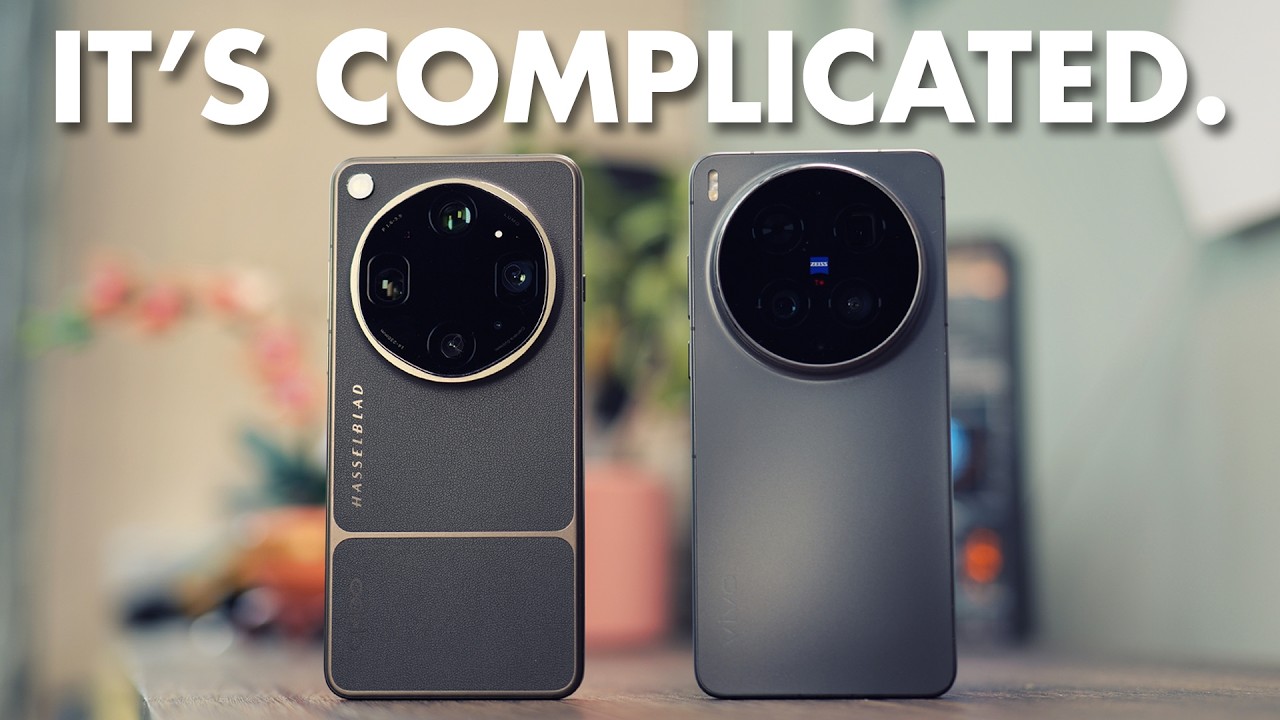
Una de les preguntes que prova directament és si la funda i les lents noves funcionen amb l’X200 Ultra. La funda pot arribar a encaixar físicament amb molta dificultat, però el telèfon antic no reconeix correctament l’empunyadura ni l’extensor. La imatge apareix invertida i la interfície no ofereix la selecció de lent que mostra l’X300.
La conclusió pràctica del creador és negativa: el conjunt nou no funciona com un sistema compatible amb l’X200 Ultra. La documentació de Vivo també diu explícitament que el Photographer Kit de l’X300 Ultra està dissenyat per a aquest model. Rome deixa oberta la possibilitat hipotètica d’alguna combinació amb la funda antiga, que no té disponible, però no afirma que funcioni.
Això importa a qui ja va invertir en el kit de la generació anterior. L’X200 Ultra disposava d’un extensor de 2,35 augments i una empunyadura pròpia; no s’ha de donar per fet que una muntura aparentment semblant mantindrà comunicació, alineació i correcció òptica entre generacions.
Pantalla plana, rails nous i una construcció familiar
El canvi físic que Rome agraeix més és la pantalla plana de l’X300 Ultra. Prefereix aquest format perquè els protectors de vidre són més fàcils de trobar i instal·lar. A l’X200 Ultra, la curvatura dels marges ha fet que mantingui un protector ratllat per no haver de provar alternatives importades.
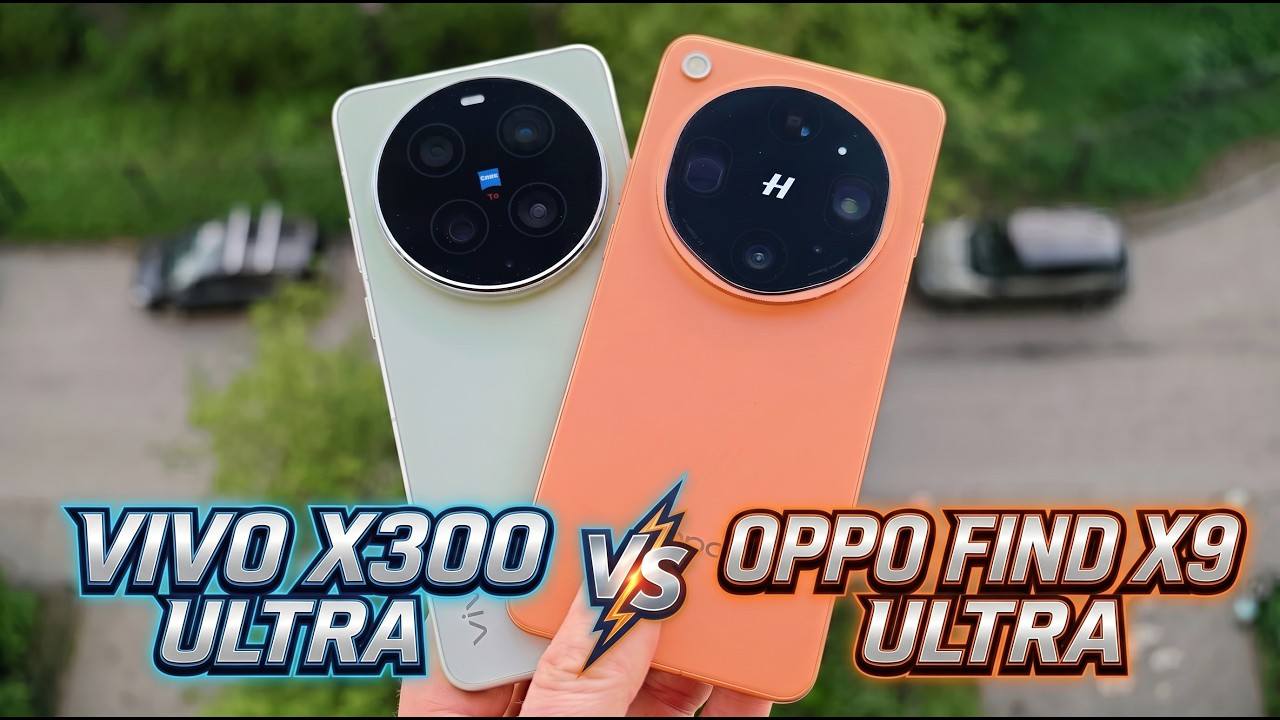
La fitxa global de l’X300 confirma un panell AMOLED de 6,82 polzades, 3168 × 1440 píxels i refresc adaptatiu d’1 a 144 Hz. L’X200 Ultra també tenia 6,82 polzades i la mateixa resolució, però arribava a 120 Hz i tenia vores corbes. Per això la diferència que es percep al vídeo és sobretot de geometria i comoditat, no de mida.
Els rails metàl·lics de l’X300 li semblen més premium, tot i que reconeix que altres analistes opinen el contrari. A simple vista creu que el nou és més gruixut. Les dades oficials ho matisen: l’X300 verd fa 8,49 mm i 237 g, mentre que l’X200 mesurava 8,69 mm i pesava 232 g en negre o vermell. La sensació visual no equival sempre a la mesura.
Desapareix un botó que Rome havia convertit en drecera
El X200 Ultra incorporava un control de càmera dedicat. Rome gairebé no l’utilitzava com a disparador: l’havia configurat perquè una pulsació obrís Gemini i comencés a escoltar. A l’X300 Ultra aquest botó ja no hi és, i és el canvi funcional que més preveu trobar a faltar.
La seva prova també respon a comentaris sobre dreceres que deixaven de funcionar després de reiniciar. En la seva unitat de l’X200, Gemini i Circle to Search continuen actius després d’un reinici, encara que la pulsació llarga respon una mica més lentament des d’una actualització. És una experiència individual i pot variar segons versió, permisos o configuració.
L’empunyadura nova incorpora controls propis per a la fotografia, però no substitueix una drecera disponible quan es porta el telèfon sol. Rome haurà de trobar una altra combinació gestual o de botons per recuperar el seu flux habitual.
La migració d’OriginOS estalvia feina, amb omissions
El creador utilitza versions xineses dels dos mòbils. L’eina de transferència mou les aplicacions i conserva bona part de la disposició, elimina diverses aplicacions xineses i fins i tot respecta que havia desactivat la pantalla informativa de l’esquerra. Això li estalvia una configuració manual considerable.
No trasllada, però, el fons ni el tema, i encara cal iniciar sessió a cada aplicació. També detecta que ha d’instal·lar Google Play. Aquesta última situació no descriu necessàriament el model comercialitzat a Espanya: la fitxa espanyola de l’X300 Ultra anuncia OriginOS 6 i Android 16, però els serveis inclosos depenen del mercat i del firmware.
El consell és comprovar bandes, eSIM, garantia, actualitzacions i serveis de Google abans d’importar una unitat. La pàgina global enumera una compatibilitat de xarxes extensa, però Vivo adverteix que la disponibilitat real depèn del país, l’operador i la versió de programari.
Processador i bateria: els dos salts numèrics clars
A la pantalla d’informació del sistema, Rome compara el Snapdragon 8 Elite de l’X200 amb el Snapdragon 8 Elite Gen 5 de l’X300. El nou model manté 16 GB de RAM i 1 TB en aquesta configuració, incorpora Android 16 i mostra el xip d’imatge VS1+. Qualcomm i Vivo situen el processador en 3 nm, amb freqüències màximes de 4,6 GHz.
El canvi més fàcil de quantificar és la bateria. L’X200 Ultra tenia 6.000 mAh, càrrega amb cable de 90 W i 40 W sense fils. L’X300 puja a 6.600 mAh, 100 W i 40 W. Són capacitats típiques declarades pel fabricant; l’autonomia real dependrà de pantalla, càmeres, cobertura, temperatura i programari. El vídeo encara no aporta hores d’ús comparables.
Vivo també anuncia 16 GB de memòria LPDDR5X Ultra Pro, UFS 4.1, USB 3.2 i resistència IP68/IP69. Rome resumeix el salt generacional com a incremental, una expectativa raonable entre dos models separats aproximadament per un any.
Primer veredicte: millor plataforma, decisió pendent de les fotos
En mà, l’X300 Ultra resol una molèstia quotidiana amb la pantalla plana, amplia clarament la bateria i ofereix un kit fotogràfic molt més complet. En canvi, elimina el botó personalitzable que Rome aprofitava, no reutilitza els accessoris de l’X200 i conserva una mida i una construcció molt semblants.
Per a qui ja té l’X200 Ultra, el vídeo no justifica per si sol una actualització. Cal esperar comparatives amb les mateixes escenes, focal, llum i processament, així com proves d’autonomia i temperatura. Per a un comprador nou interessat en fotografia modular, els extensors de 200 i 400 mm i la bateria de l’empunyadura diferencien l’X300 de manera tangible.
La millor aportació d’aquest primer contacte és separar els canvis que ja es poden verificar dels que necessiten temps. Disseny, migració i compatibilitat tenen una resposta avui; la qualitat fotogràfica i la conveniència de carregar tot el kit només es podran valorar després d’usar-lo fora de la caixa.
Contrast i context
Fonts consultades
-
01
Rome Reviews Tech Vivo X300 Ultra: Initial Thoughts & Quick X200 Ultra Comparison
- 02
- 03
- 04
- 05
- 06
Font de treball
Transcripció amb marques de temps
Consulta la transcripció
-
0:01
, obre el vídeo en una pestanya nova
Hey guys, welcome back to the channel. I'm Rome and this is the Vivo X300 Ultra photography kit and I know at this point, if you're watching my video by now, I'm way late and you've seen a million unboxings. So, what we're going to do today is of course, we're still going to take our first look at the device, but I'm also going to talk about things that I've noticed immediately that's different from the X200 Ultra. All right, let's get into it. All right, so first things first, here's the spread. This is everything that comes with the kit, the grip, the lenses, the handle, the lanyard, things like that, the case, the rings and another case. I like that
-
0:55
, obre el vídeo en una pestanya nova
lime green is really grown on me. The camera is not doing it justice at all. My four camera setup and the phone itself, of course, the Vivo X300 Ultra, X200 Ultra over there. I still love the red a bit more, but this green looks much better in person. When I first when I was first purchasing it, you only get the option on the the website that I was on, you only get the options for black or green. I wanted the green. I'm trying to move away from getting black phones constantly. Uh I have the Huawei Mate 70 Air and it's in black and gold. I'm trying to get away from but it's kind of hard, but anyway, we're jumping right in. First things first, a question that I got on a different video was does the case work with the X200 Ultra?
-
1:44
, obre el vídeo en una pestanya nova
Short answer, no. And I'll show it to you. I want to pop it in. I'm going to have It's going to be a nightmare to get this phone back out of this case again, but I pop it in the case. I'm going to open the camera. All right, camera's open. I'm going to pop the grip on her. Now, if this was the X300 Ultra, the camera would recognize that the grip is popped in there and it'll pop up showing you some stuff. I have turned on the um setting to add the telephoto extender on there, but it on the the new uh Vivo X300 Ultra, it gives you options to select which one is installed. This one does not do that. So, it's looking for that other one. Now, what I'll say is let's go ahead and pop this lens on there and I'm just going to talk through it because I I don't have all of the
-
2:36
, obre el vídeo en una pestanya nova
camera angles to really show you guys how it works, but if I pop the telephoto on there, it's not really recognizing it. It's inverted it. Um yeah, I can't really show you, but it's inverted it, but it's not behaving like it recognizes the lens. So, yeah, it it this this just this setup just does not work on the old one. Now, I think if maybe and it's just hypothetically speaking because obviously I don't have the photography kit for the other one, but I mean for the X200 Ultra, but if you were to potentially pop this new lens into the case on it, maybe it will recognize that can not that that lens, but I don't think it will ever recognize the X I mean the 400
-
3:27
, obre el vídeo en una pestanya nova
mm lens. I just don't think it will happen. Let's take this case back off and let's keep going through the rest of the video. I hope that answered your question for the X200. Now, if there's something else you may want me to test that I'm not covering right now that may make it work, feel free to drop a comment down below and I'll gladly answer that question. Um the other thing I've noticed See, it's so hard to get this thing out of here. The X300 comes out much easier and I don't want to break the freaking case. But yeah, the other thing I've noticed, I guess I'll just leave it in there for now. Uh it's making me upset. All right, the uh flash screen on the X300 Ultra, I know people have their preferences, but just being fully transparent and of course, this is my opinion, nothing else.
-
4:17
, obre el vídeo en una pestanya nova
I prefer flat screens, especially since I use so many devices because screen protectors are much easier to find for a flat screen, especially when they have just a little circle cut out. The Vivo X200 Ultra, the screen is curved around the edges, so I feel like I don't want to go through the process of trying out different screen protectors, especially since it takes me so long to get them for this particular device. It just takes a long time, so I haven't even removed this and this screen is I know it's not showing up on camera that well, but this screen this screen protector is scratched up and I don't want to replace it. I just don't want to go through the trouble of trying to find a good one. Now, if you guys know a good really good like glass tempered glass or whatever screen protector for the X200 Ultra, please drop a comment down below. I need that because I don't want to just go shopping around.
-
5:08
, obre el vídeo en una pestanya nova
I I just don't want to do that. It just takes too long. It takes a week or two for me to actually get the screen protector and of course, in all this time I've been sitting on I could have had the screen protector, but I just don't want to spend the money constantly trying different screen protectors to find one that I like. So, I do prefer the flat screen. These metal rails or whatever on the I need to take this phone out of here so I can show you. I don't want to do it cuz it sucks. The process sucks. I know the measurements are supposed to be the same, but I promise you the X300 Ultra comes out much easier. But anyway, I do for now like the rails a bit more on the X300 Ultra. I don't They [clears throat] just feel I don't know, they feel more premium to me. I've seen the opposite from other reviewers, so you know, this is just my
-
6:01
, obre el vídeo en una pestanya nova
opinion. Let's close the camera, but other than that, the they seem very similar in build. I will say the X300 Ultra for some reason to my eyes, I don't know I don't know what it is, but it looks a little bit thicker. I'm going to have to look at those measurements and see that. But yeah, otherwise, on all sides it is the same. Oh, but let me tell you the other thing. I'm going to show you the bottom real quick. I know this one is black, so it's harder to tell, but the layout is identical. identical. So, what I'll say is the other thing that I've noticed is that camera / action button, whatever they want to call it, I am going to miss that on the X300 Ultra and the reason why is I have the X200 Ultra, the button I have it set up to one tap and it brings up Gemini and
-
6:53
, obre el vídeo en una pestanya nova
Gemini starts listening and I that's what I use it for. I never really use it as the camera button that it's supposed to be used for. Let me stop Gemini from listening. So, I'm going to miss that button a lot and not for the reason that it was intended, but for the reason that I had it set up for. Um I just turned the X200 Ultra on, so for those of you that left comments on previous videos about this thing not working once you restart the phone and stuff like that, I don't have that issue. I don't know how you guys configured it different or maybe it's just a phone issue. I'm not sure, but I'm not experiencing that. Circle to Search works as soon as I restart the phone. Everything works just fine. It's gotten a little slower to respond. Like if I
-
7:43
, obre el vídeo en una pestanya nova
press and hold it now, it takes a moment to respond and it didn't do that before, so I think a update has impacted the performance, but Gemini works immediately and starts listening as soon as I tap the button. So, yeah, I don't know, but all of this works. I just I've restarted the phone. I moved my SIM card over to the new X300 Ultra. Everything works after restart, so I'm really going to miss that button. I got to figure out what I'm going to do uh with that. But otherwise, uh the other thing that I've noticed going from the X200 Ultra to the X300 Ultra is transferring your your configuration over to the new phone, it does not pull your wallpaper or your theme that you have set here. I'm missing the Play Store. I need to install that. But it does pull all of your apps and the setup itself. Like it's it's pulled
-
8:35
, obre el vídeo en una pestanya nova
everything over and put it back to where I had it. Now, I I still need to go log into each one of the apps, but that's really nice that it did that. Let me see. Yeah, and it even turned off the screen to the left. I forget what Vivo calls it, but the screen to the left I disabled it because it's just a bunch of Chinese stuff, but it cleaned up all of the Chinese apps that were installed on the phone. You know, if any guys ordered a Chinese Vivo, they know that it comes with a bunch of bloatware, but it's cleaned all of that up and put my apps on there, which saves me a ton of time. I normally don't like transferring things from phone to phone, but I just wanted to try since I'm going from Chinese to phone to Chinese phone. Um other than that, there is no major differences. Of course, I know since I have the photography kit, do not curse me out in
-
9:26
, obre el vídeo en una pestanya nova
my comments, okay? I know since I have the photography kit, you guys want to see photos. I get it and we're going to do that. We're going to do that. Uh but I want to spend more time with I just got this box. I've been waiting on it for ever, but it's been about 3 weeks since I waited on it. Finally arrived this morning. So, this is fresh. This is fresh. I've gone through the initial setup. I've done all the good stuff and I have an update waiting. That's how you know. This thing and it's It's a 3 gig update. So, this thing is not fully set up yet. I'm not This is, like I said, it's fresh out the box. So, uh let me go on and compare specs really quickly for you guys so you can see that. Let's see them side by side. Settings. Uh I did not click settings somehow.
-
10:17
, obre el vídeo en una pestanya nova
About. So, Vivo X200 Ultra, Vivo X300 Ultra. I'm going to change the name cuz to get out all the Chinese lettering. Put it back to what I want it to be. All right. You can see Snapdragon 8 Elite mobile platform, Snapdragon 8 Elite Gen 5. 16 gigs, 1 TB cuz I I ordered this one with the photography kit and it gives you the 16-gig um 1-TB version. All right. Let's see blue image self-developed blue image uh chip VS1. This one has plus V3 uh plus I mean in the V3 plus. Interesting. 6,000 mA hour, 6,600 mA hour. We'll see how that plays out as I use the device. Android 16, Android 16. So, minor
-
11:10
, obre el vídeo en una pestanya nova
differences. Of course, we all should know by now that from generation to generation, I mean, especially when you go on from the maybe 6 months to a year device uh between the two, it's not going to be a major difference. Not at all. So, I'm not expecting anything insane here, but I am excited about this telephoto kit. So, what I'll do is I'm really excited to get this this video out, but I'll go ahead and try to include some photos some initial photos with the kit and everything. I just I'm excited to try it out, but I do plan on doing like a more in-depth uh video on it. Mine is not going to be as good as some of these photographers out here, but I'm going to give my honest opinion of these uh lenses and how they work and how it feels carrying them around day-to-day and stuff like that. I
-
11:59
, obre el vídeo en una pestanya nova
do have a photography backpack around here that I'm going to find and load all this stuff up in and take it with me cuz I'm not going to keep those lenses with me uh in my pocket or anything. Which I think would be the more practical use of them where you can pull the lens out, but that's just the that these lenses being in your pocket is would be insane. So, we'll see. But, I'm going to spend time with them and I really appreciate you guys tuning in to this first look and you know, just showing support for the channel. It all goes a long way. Feel free to like and subscribe. And much, much more content is coming on this phone. I'm going to set up I'm going to figure out what I'm going to do about my Gemini my screenshot features and stuff that I had configured on my X200 Ultra. We're going to see. But, okay. All right. But, I'll catch you guys in the next one and appreciate you being here. All right. Later.