Unihertz Titan 2 Elite: un mes amb el mòbil QWERTY
Un mes amb el Titan 2 Elite mostra el valor d'un teclat físic en Android 16, però també els límits de l'ergonomia, les càmeres i el programari inicial.
Un teclat físic modern en un telèfon realment compacte
Jan Ole Helmbold va deixar l'iPhone, va inserir les dues SIM al seu Unihertz Titan 2 Elite i el va utilitzar durant quatre setmanes. No és només una presa de contacte: correu, trucades, missatgeria i escriptura van passar per una unitat de preproducció rebuda durant la campanya de micromecenatge.
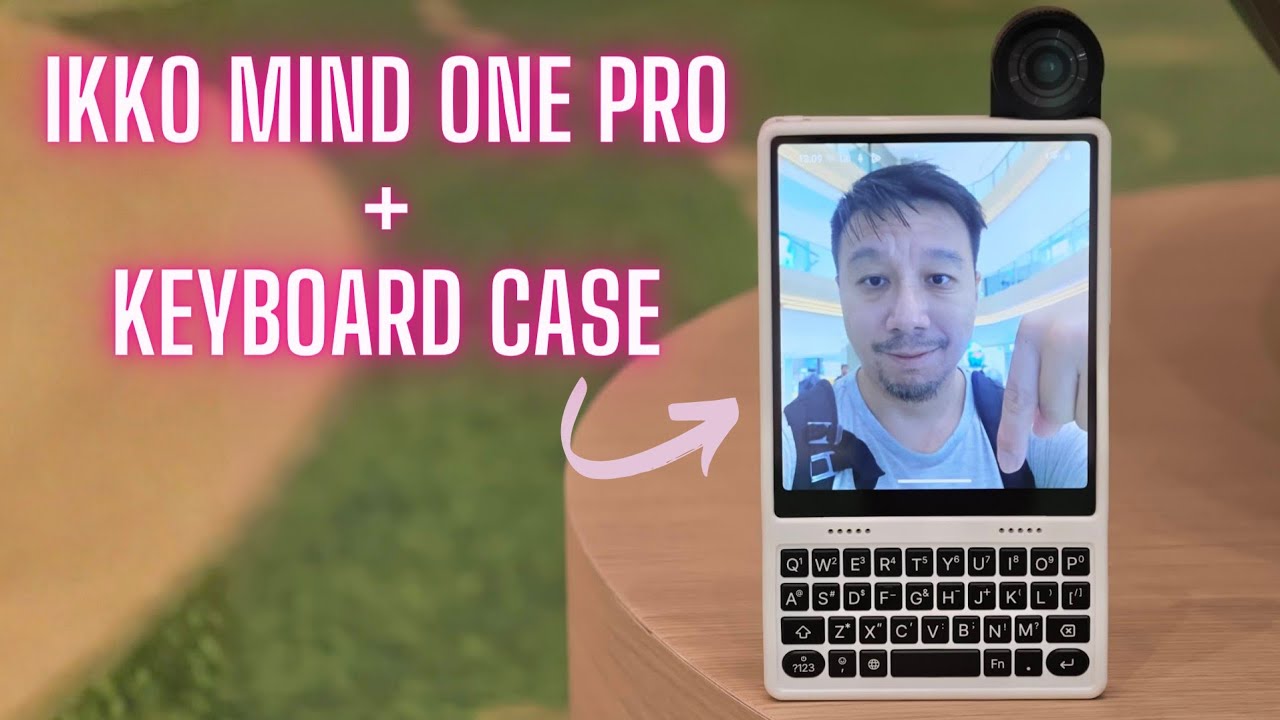
El Titan 2 Elite recupera el format que va popularitzar BlackBerry, però amb Android 16 i connectivitat 5G. Les dimensions oficials són 117,8 × 75 × 10,4 mil·límetres i el pes és de 163 grams. Al vídeo es pot sentir una xifra pròxima als 180 mil·límetres d'alt, però la fitxa del fabricant confirma 117,8; és precisament la poca alçada el que el diferencia.
La campanya va reunir 8.836 patrocinadors i més de 31,9 milions de dòlars de Hong Kong. Aquest interès demostra que hi ha un nínxol, no que el format torni a ser majoritari. El producte s'adreça a qui valora tecles, dreceres i edició de text per damunt d'una pantalla gran.
La pantalla i el teclat es reparteixen el frontal
La pantalla AMOLED és de 4,03 polzades, resolució 1080 × 1200 i 120 Hz. No és exactament quadrada: té una mica més d'alçada que d'amplada. Text i colors es veuen bé, però moltes aplicacions Android continuen dissenyades per a rectangles llargs. Un botó lateral activa un mode amb barres negres per mostrar més alçada virtual quan cal.
Sota el panell hi ha quatre files QWERTY. Les tecles tenen un clic sòlid i la barra espaiadora, que preocupava el revisor el primer dia, deixa de ser un problema amb l'ús. Els botons de navegació s'integren a la fila inferior: tornar, anar a l'inici o obrir la multitasca no obliga a moure els polzes fins a la pantalla.
Les tecles també admeten dreceres. Helmbold converteix una tecla de funció en Control per seleccionar, copiar i enganxar text, i assigna aplicacions a altres combinacions. Aquesta és la diferència respecte d'un teclat virtual: no només s'escriu, també es construeix memòria muscular.
La sensibilitat tàctil és la gran funció que encara falla
La superfície del teclat detecta el moviment dels dits. Pot desplaçar pàgines, moure el cursor entre caràcters o funcionar com un petit ratolí. Sobre el paper, permet llegir un correu sense tapar la pantalla ni interrompre la posició d'escriptura.
En la unitat provada, el desplaçament interpreta massa sovint un dit recolzat com una selecció o una ordre. Canviar la sensibilitat i configurar el comportament per aplicació no resol el problema. Després de diverses setmanes, el revisor desactiva completament la funció.
És una conclusió important perquè el maquinari li agrada. No és que el concepte sigui inútil, sinó que el programari de prellançament encara confon gestos. Unihertz pot corregir-ho abans o després de l'enviament comercial, però els compradors no haurien de donar la millora per garantida fins que arribi una actualització verificada.
Potència suficient, dues versions i bateria per al dia
La versió estàndard incorpora MediaTek Dimensity 7400, 12 GB de RAM LPDDR5 i 256 GB UFS 3.1. MediaTek especifica per al 7400 quatre nuclis Cortex-A78 fins a 2,6 GHz i quatre Cortex-A55 fins a 2 GHz. El revisor no troba bloquejos ni veu necessari un processador més potent per al correu, el navegador i la missatgeria.
La variant Pro passa a Dimensity 8400 i 512 GB. Aquest xip utilitza vuit Cortex-A725 fins a 3,25 GHz i té una GPU molt més ambiciosa. Pot donar marge en jocs o tasques pesants, però també caldrà comprovar l'impacte sobre la mateixa bateria i el petit xassís.
La bateria de silici i carboni té 4.050 mAh i càrrega de 33 W. Helmbold registra unes sis hores i cinquanta minuts de pantalla, prou per completar la jornada. No hi ha càrrega sense fils. L'autonomia és una dada personal, però confirma que el teclat no obliga a sacrificar un dia normal d'ús.
Doble SIM, eSIM i microSD en un cos poc habitual
El telèfon admet dues nano-SIM físiques o una combinació amb eSIM. La segona ranura és híbrida i també pot allotjar microSD. Durant la prova, les dues línies i el 5G funcionen sense talls. La fitxa oficial enumera una cobertura àmplia de bandes, tot i que sempre convé contrastar operador i país.
També hi ha NFC amb Google Pay, emissor d'infrarojos, GPS de doble banda, Wi‑Fi 6 i lector d'empremtes al botó d'encesa. Aquest lector és fiable, però queda massa baix i el palmell el prem accidentalment. El botó vermell programable pot obrir Gemini o activar el mode de pantalla reduïda.
El fabricant promet cinc anys de suport, actualitzacions de sistema fins a Android 20 i pegats de seguretat fins al 2031. És un compromís atractiu per a una marca de nínxol; el seu valor real dependrà de la puntualitat i no només de la data final anunciada.
Ergonomia, altaveu i càmeres revelen les concessions
El mòbil sembla més ample del que indiquen els 75 mil·límetres perquè té 10,4 de gruix i vores metàl·liques rectes. En sessions llargues, aquestes arestes pressionen la mà. La poca distància sota el teclat obliga a subjectar-lo avall, mentre el gran mòdul de càmeres concentra pes a la part superior.
El botó zero està a l'extrem superior esquerre del teclat. A sota del bloc numèric hi ha un botó circular d'inici, prou semblant perquè el revisor tanqui una tasca quan vol escriure un zero. És una decisió petita que es repeteix moltes vegades.
L'altaveu mono superior sona prim i amb poc volum. Tampoc hi ha connector de 3,5 mm, malgrat el gruix. Les càmeres posteriors de 50 megapíxels —principal i teleobjectiu 2x— serveixen per a una captura ocasional, però la dinàmica i el detall no competeixen amb un bon mòbil del 2026. La frontal és de 32 megapíxels.
Un launcher minimalista completa la idea de productivitat
Android arriba amb una aparença bastant estàndard que no aprofita el format. Helmbold instal·la Niagara Launcher, deixa només les aplicacions essencials, elimina les xarxes socials dels favorits i utilitza fons negre. En AMOLED, els píxels negres s'apaguen; visualment, el canvi també fa que pantalla i teclat semblin una sola peça.
Gboard li resulta millor en algunes situacions que el teclat de programari de Unihertz, i afegeix sons de BlackBerry 10. No experimenta bloquejos durant el mes. Aquesta personalització, però, exigeix feina de l'usuari: el producte no ofereix de sèrie l'experiència de concentració que suggereix el maquinari.
El veredicte és favorable amb límits clars. El Titan 2 Elite no és el millor mòbil de càmera, multimèdia o comoditat universal. Sí que és un Android compacte on escriure, navegar amb botons i executar dreceres torna a ser central. Per a aquest públic, les tecles poden compensar moltes concessions; per a la resta, una pantalla convencional continuarà sent més pràctica.
Contrast i context
Fonts consultades
-
01
YouTube — Jan Ole Helmbold 1 Month with the Unihertz Titan 2 Elite!
-
02
YouTube Canal de Jan Ole Helmbold
- 03
- 04
- 05
- 06
- 07
Font de treball
Transcripció amb marques de temps
Consulta la transcripció
-
0:00
, obre el vídeo en una pestanya nova
Small, square, clicky, and different. This is the Unihertz Titan 2 Elite. I've used this phone for the past month and did so very intensely. So, you can decide if this phone is something for you or maybe not. Hey guys, it's me Ola and this is my full review of the Unihertz Titan 2 Elite. I've received this phone about 4 weeks ago just after Unihertz started their Kickstarter campaign for it. And they've raised over 4 million US dollars with nearly 9,000 backers, which is crazy. The version I have here is a pre-release unit. So, please keep that in mind for everything I state in this video. I've used it almost exclusively and even put in both of my SIM cards and ditched my iPhone for it. In this video, I want to do things a little differently. In my initial hands-on review about the phone, I stated some things, critiqued some things, and I want to see if 4 weeks later, I still feel the same way or if my opinion's changed. But, for everyone else who hasn't seen the hands-on review, let's get the basics out of the way. The Unihertz Titan 2 Elite is the newest addition to the company's Titan family and more specifically, the Titan 2. The Titan family is Unihertz's model
-
1:23
, obre el vídeo en una pestanya nova
range that offer QWERTY physical keyboards. Well, I didn't like the previous models of the Titan series as I just felt like they were a little bit tacky, little bit big, too bulky, and I didn't like the feel of the keyboards on them. I think that the Titan 2 Elite is something different. It looks better, it has a better keyboard, better screen, and so on. And what does that mean? The phone is only about 180 mm tall and 75 mm wide, but also pretty thick with 10.4. It can be had in two colors, copper and black, but I would always prefer black as I just don't like the orange and especially this color combined with the red button on the side. On the front, you can find a 4.03-in AMOLED display with a 120 Hz refresh rate and it's gorgeous. You have to remember though to turn on 120 Hz in the settings, but you could set it to an automatic mode where it changes the refresh rate based on your usage also to save battery life. I just kept it on and left it at 120 Hz all of the time. Also, this screen isn't fully square. It's actually a little bit taller than wide with a resolution of 1080 by 1200. On the top left, you can
-
2:42
, obre el vídeo en una pestanya nova
find a 32-megapixel hole punch front-facing camera, which is okay. The colors are pretty dull-looking, but it's okay for the occasional selfie or video calling, which work great by the way. Below that, you can find a physical four-row QWERTY keyboard, which is touch sensitive so you can scroll with it, but more on that later. It's superb. Feels very nice. You can type with it without issues and while I stated that the space bar feels a little bit wonkier than the other buttons, I got to admit that it hasn't been a problem in everyday use. Also, there's a small microphone on the bottom right below the keyboard. Also, they incorporated the navigation buttons in the bottom row of the keyboard, which is such a good solution in my opinion. And that means that you very rarely have to leave the keyboard to navigate through the phone as you just have the buttons right by your fingertips and that is nice. On the right side, there's the power button, which acts as a really reliable fingerprint sensor, but in my opinion, it's positioned a little too low to be ergonomic and you oftentimes press it accidentally with your palm. Below that is a configurable red action button, which I configured to open Gemini on long press, or on double press it
-
3:56
, obre el vídeo en una pestanya nova
activates mini mode. And that means it has black bars on the left and right side to sometimes see the whole height of vertical content without needing to go through the settings. And there's also another microphone on this side. On the top, there is a top firing single mono speaker, which is not even mid-range. It doesn't have a lot of bass, not a lot of volume, it's very tinny, and I feel like that's just a little bit disappointing. Also next to it is an IR blaster, which I have never used in the four weeks I've had this phone, and I think I will never use it in the future. Also, they didn't add a 3.5 mm headphone jack on the top, even though the phone is so thick, but maybe they just couldn't make it fit, but it seems like a missed opportunity. But, the ear speaker on the front is actually quite nice while calling. On the left, there's a volume rocker and a SIM card slot, which also houses a microSD card slot. It supports dual SIM 5G with two physical SIM cards or one physical and one eSIM. And I didn't have any connection issues at all, and everything worked flawlessly. On the bottom, there is the USB-C charging port that charges the 4,050 mA hour silicon
-
5:11
, obre el vídeo en una pestanya nova
carbon battery with up to 33 W. Battery life has been super good. I got about 6 hours and 50 minutes of screen-on time, which is totally enough for a phone like the Unihertz Titan II Elite, and that gets you through a whole day easily. On the back, it's pretty plain looking with a big camera bump housing two 50-megapixel cameras. One is regular, and one has a 2x telephoto lens. Camera quality and dynamic range really aren't something special with the Unihertz Titan II Elite. Images are okay, but nothing that you would expect from a decent 2026 phone. But, it's definitely okay for an occasional snapshot. But, it definitely wasn't anything I enjoyed using in the past 4 weeks. There's also a flash and another microphone next to the lenses and an NFC logo, which I feel like they could have done without. Other than that, the backside feels rather plasticky and not very special. The rest of the phone feels very premium though with the metal frame, the metal buttons, which are very sturdy, and the solid keyboard. And now is a great time to subscribe to my channel to stay updated with the newest videos about niche phones and unusual technology. And we're also on the road to 50,000 subscribers, currently at about 46
-
6:29
, obre el vídeo en una pestanya nova
something. And I have a special goodie for you guys. When I reach 50,000 subscribers, I want to give away a Clicks Communicator or a Titan II Elite. You can choose if you're the winner. So, if you want me to do this giveaway, please make sure you subscribe so I reach the 50,000 subs. Also, on Instagram, I'm currently at 16,000, so maybe we can reach 20 there as well. And let's see what I do then. All right. Let's get back to the video. Internally, it is running on a Dimensity 7400 octa-core processor with 12 GB of RAM and 256 GB of storage. But, for some reason, they also offer a pro variant of the phone, which is running on a Dimensity 8400 octa-core processor also with 12 GB of RAM, but 512 GB of storage and the main shooter has an optical image stabilization. Other than that, the phones are exactly the same, same battery, same hardware, all the same. To be honest, I don't really understand why they did this pro version as the Dimensity 7400 feels super fitting for this phone. I didn't have any issues and I don't feel the need to upgrade, but I would love to see it when it comes out and especially see how it copes with the battery with the bigger
-
7:51
, obre el vídeo en una pestanya nova
processor. And by the way, they will start shipping the regular one in June, so next month, and the Pro version in October. On Kickstarter, the regular one was $389 and the Pro version was $439. And I don't know what the retail pricing on those devices will be like though. When I got the Titan 2 Elite, I had to install some things to really get the most potential out of it because out of the box it runs a pretty stock-like Android experience and for me, I feel like that doesn't really fit the phone. This phone is supposed to be productivity focused and with the stock launcher and stuff, I just didn't feel like that would work out. So, here's what I did. I downloaded the Niagara launcher, which is a list-based launcher to keep you away from distractions. I then added the apps I use the most to the favorites and on purpose left out social media. Then, I set up my wallpaper to be black to save battery as an AMOLED display actually turns off the black parts and pixels. And then I also turned the Niagara launcher to a black and minimal mode and activated all of the features like my current calendar entries, the weather, and the direct possibility to reply to messages directly from the
-
9:08
, obre el vídeo en una pestanya nova
launcher. I also changed the icons to the outline style to keep it minimal and this setup, in my opinion, makes the phone look a thousand times better and more fitting and it should come like this out of the box as it just screams productivity. Also, a nice thing about the launcher is that you can just start typing to search for an app and press enter to open it. I also downloaded the BlackBerry 10 sound pack to get some better notification sounds and I also installed the Gboard keyboard, which sometimes just felt a little better to type on compared to the Unihertz's Keypad keyboard. Software-wise, I didn't have any issues, no problem, no crashes, and everything worked flawlessly. But now, let's get to the things I've stated in my initial hands-on review and how I feel about them 4 weeks later. I stated that the phone is too small for the big camera bump, so you rest your fingers on it and smudge the cameras. I stated that it feels top-heavy because you need to hold it pretty low as the phone is so compact and doesn't have the so-called chin below the keyboard. And I said that the thickness of the phone makes it feel wider than it actually is. And I also stated that no room between
-
10:21
, obre el vídeo en una pestanya nova
the keyboard and the display makes it difficult to close apps. So, how do I feel about those things 4 weeks later? Well, first of all, yes, the camera bump still is very big for that small of a phone, and the cameras do smudge, but it's not that big of a deal cuz you can just wipe it off before taking a picture and then you're good. But I do still feel that the phone is a little top-heavy and would still love a little bit more room between the keyboard and the bottom of the phone, so you don't have to hold it that far down. On top of that, the wide feel of the phone wasn't really an issue. The issue I had was that the sharp edges of the metal frame and boxy design made it less than ideal for long typing sessions. The phone just doesn't sit very comfortably in your hand. While it's still absolutely doable, it's still something that I noticed. While there really isn't a lot of room between the keyboard and the display, I just used the navigation buttons on the bottom to close apps, use multitasking, or go back. And I really have to say, I loved it. It's such a cool feature and it really now is in my muscle memory as I
-
11:26
, obre el vídeo en una pestanya nova
do the same thing on my daily phone, which is an iPhone in the Clicks case, where I just press command and H to go home, and I never have to press the display to go home or navigate through the phone. Coming to the keyboard, I stated that I love typing with it, that said that it feels very solid, but that the space bar is a little bit wonky compared to the other buttons, but I feel like that became better in the time I've used it, and it's now no problem at all anymore. But, what still confuses me a lot is that they put the zero key in the top left corner instead of below the number pad, and instead they put a circle button below the numbers to go home, and it's just so similar that I constantly press going home instead of the zero. Yeah, so I don't really like this design decision. I configured the right function key to be a control button, and now I can easily select text, copy text, and paste text. And all of the keys can be assigned to be shortcuts as well to do different tasks or open different apps. And that's really neat and very useful. But now, let's get to the touch sensitivity feature of the keyboard. And
-
12:37
, obre el vídeo en una pestanya nova
in my initial hands-on review, I said that it's implemented in a nice way, but it does act up a little on certain apps. And that was actually a pretty big part of what drove me nuts while using this phone. You can use the touch sensitivity feature in different ways. First, there is the cursor assistant to move between characters in a text, which worked very nicely, but there's also the so-called scroll assistant. And this one can act like a normal scroll feature in different variations, or as a mouse and click cursor, just like a touchpad on your computer. And you can set these features differently for each app you have installed on your phone. I just wanted the scroll only feature, just to scroll through mails, occasional social media, through large texts. But, if you just rest your finger on the keyboard for too long, it constantly selects something, thinks you pressed something, and just acts up. And it didn't even change with the different settings of the scroll features. So, I ended up just completely disabling the feature, but this is solely a software problem. So, I hope that they fix it when they release the phone. So, yeah, this have been my experiences with the Unihertz Titan 2 Elite that I've used for the past month. And I'm really
-
13:52
, obre el vídeo en una pestanya nova
excited on how this phone will compare with the Clicks Communicator when this phone comes out in the future. And also, I'm very excited to see how the units will look like when people receive them in the mail. So, if you like this video, please make sure you subscribe to my channel. As I said, there'll be a giveaway at the 50,000 subscriber count. And also, make sure to like the video if you liked it. Please leave a comment in the comment section below on what you think about the Unihertz Titan 2 Elite. Did you pre-order it? Or maybe are you still waiting for the Clicks Communicator? And also, make sure to follow me on my social media channels, Instagram and X, where I post a lot of stuff currently, especially on Instagram. And you do see a lot of content even earlier than here on YouTube. So, yeah, that's been it for this video. I hope you liked it, and we'll see each other next week.