iKKO MindOne Pro: un mòbil petit amb teclat i DAC
Anàlisi de l’iKKO MindOne Pro, un Android de quatre polzades amb càmera giratòria i funda QWERTY amb DAC i bateria.
L’iKKO MindOne Pro és un telèfon Android de quatre polzades, gairebé quadrat, que vol recuperar dues coses desaparegudes dels grans mòbils moderns: una mida realment petita i un teclat físic. Ben’s Gadget Reviews prova la versió final durant dues setmanes i l’acompanya de la funda magnètica amb QWERTY, bateria extra, DAC d’alta fidelitat i connector d’auriculars.
No intenta competir amb un flagship en potència o càmeres. La seva proposta és ser un segon telèfon lleuger per viatjar, anar amb bicicleta o sortir d’excursió, mantenint Google Play, mapes, missatgeria i eines de productivitat.
1. Un Android de la mida d’una targeta
A 00:45, el revisor mostra el telèfon en color rosa i el compara amb els mòbils convencionals. El cos fa 86 × 72 mm i només 8,9 mm de gruix, segons la fitxa oficial de l’iKKO MindOne Pro.
La pantalla AMOLED de 4,02 polzades té 90 Hz i un format gairebé quadrat. A 04:30, el creador destaca la brillantor: ha de reduir-la molt perquè no quedi sobreexposada a la gravació i diu que es pot llegir sota llum intensa. La versió Pro incorpora vidre de safir amb duresa 9H anunciada per la marca.
La mida té conseqüències. Cap en butxaques petites i pesa poc, però algunes aplicacions estan pensades per a pantalles verticals molt més llargues. El format funciona especialment bé per a consultes, notes i comunicació; resulta menys còmode per a vídeo, documents extensos o interfícies amb molts controls.
2. La funda QWERTY transforma el dispositiu
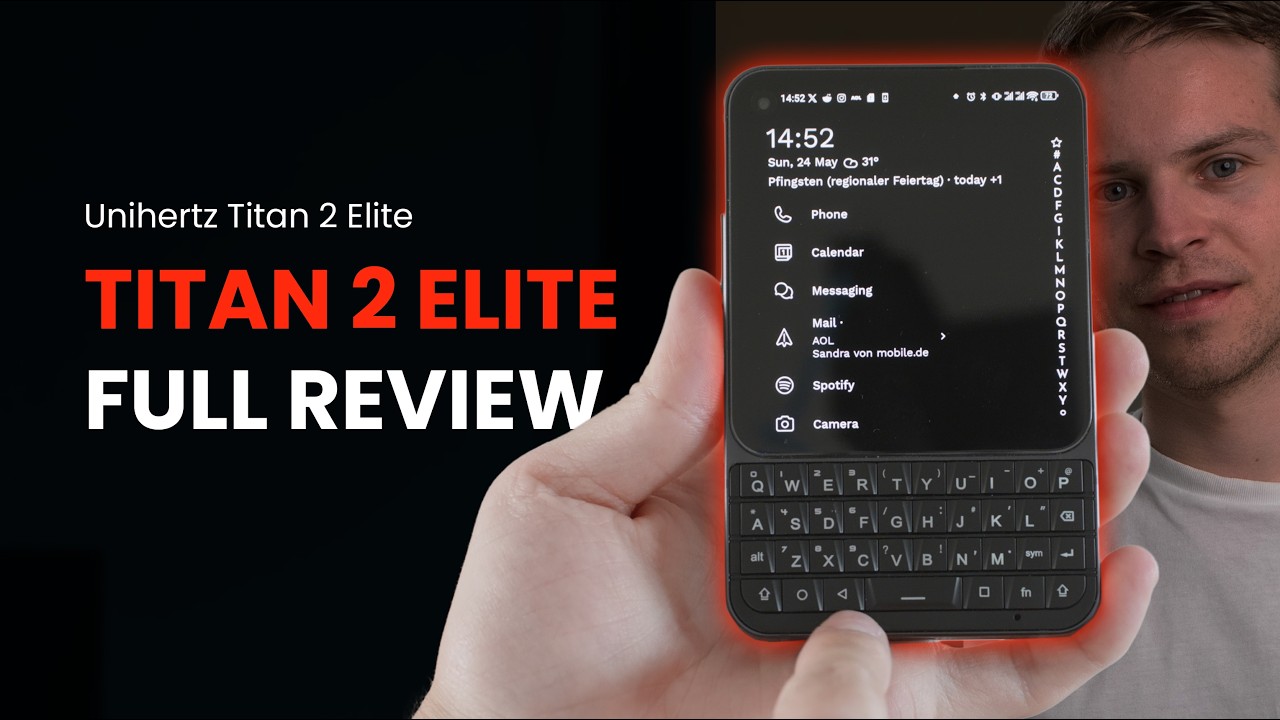
La peça més singular apareix a 02:15. La funda s’acobla magnèticament i situa un teclat QWERTY sota la pantalla, com en els antics BlackBerry. El revisor descriu les tecles com a separades, tàctils i satisfactòries, prou precises per escriure més de pressa que amb el teclat virtual.
La funda Snap-in oficial no és només un teclat. Integra una bateria de 500 mAh, un connector de 3,5 mm i un DAC Cirrus Logic CS43198. A 03:45, Ben Sin explica que la bateria alimenta l’accessori i pot donar una mica de càrrega al telèfon.
El DAC admet PCM de 32 bits i 384 kHz i DSD256 segons iKKO. Aquestes xifres interessen a qui utilitza auriculars amb cable de qualitat, però la diferència audible dependrà també dels auriculars, de l’enregistrament i de l’entorn. L’atractiu pràctic és recuperar una sortida analògica que molts telèfons han eliminat.
3. Càmera giratòria i maquinari modest
A 05:15, el vídeo repassa la càmera Sony de 50 MP amb sensor d’aproximadament 1/1,56 polzades. El mòdul gira 180 graus, de manera que la mateixa càmera serveix per fotografiar cap endavant o fer una selfie.
El mecanisme es manté ferm en diferents angles i el revisor el veu ben construït. Amb bona llum pot produir imatges agradables, però no disposa de les múltiples focals, el zoom i el processament dels grans mòbils fotogràfics. És una càmera funcional dins d’un cos minúscul, no el motiu principal per comprar-lo.
El processador MediaTek Helio G99, 8 GB de RAM i 256 GB d’emmagatzematge confirmen el posicionament. A 06:00, el revisor diu que no és un xip potent, però que executa aplicacions quotidianes, alguns jocs i edició bàsica a CapCut sense bloquejos importants.
També hi ha NFC, protecció IP54 i dos orificis d’altaveu a la part inferior, però no so estèreo. La combinació prioritza portabilitat i funcions poc habituals per sobre del màxim rendiment.
4. Android 15 i un segon entorn d’IA
El MindOne Pro combina Android 15 amb iKKO AI OS. A 08:20, el creador mostra una interfície simplificada amb aplicacions de notes, xat, traducció, transcripció i resum. Es pot tornar a l’Android convencional i descarregar aplicacions des de Google Play.
La marca presenta NovaLink com una connexió incorporada per a les seves eines d’IA en més de seixanta regions. El revisor comprova que les notes i el xat poden accedir al servei sense Wi‑Fi, però això no equival a dades gratuïtes per a qualsevol aplicació.
A 07:30, diferencia NovaLink de la vSIM general. En el moment de la prova, la funció vSIM que hauria de proporcionar connectivitat més àmplia encara no estava preparada i, per tant, no la va poder provar. El telèfon també admet una nano-SIM física per a l’ús normal.
5. Notes, transcripció i els límits del programari
A 09:10, l’aplicació AI Notes transcriu una nota de veu i permet resumir una gravació llarga o extreure’n punts principals. Són funcions disponibles en molts serveis web, però aquí queden integrades en una interfície senzilla i utilitzen la connexió NovaLink.
El valor depèn de la continuïtat del servei. La connectivitat incorporada, els models i les condicions d’ús els controla el fabricant; no són una prestació purament local com el teclat o el DAC. Abans de comprar, convé comprovar cobertura, privadesa, idiomes i política futura del servei.
A 10:00, el revisor descriu Android com una versió molt neta: poca aplicació preinstal·lada, però també menys funcions avançades que en capes de fabricants grans. Per a un dispositiu secundari pot ser una virtut; com a mòbil principal, les actualitzacions i el suport a llarg termini pesen més.
6. Preu i ús real com a segon telèfon
En la conclusió, a 10:20, Ben Sin explica el cas d’ús que li troba: portar-lo en bicicleta o d’excursió quan no vol carregar un telèfon gran amb un mòdul de càmeres voluminós.
Manté les funcions essencials —mapes, comunicació, internet i aplicacions Android— en un format molt més fàcil de guardar. El revisor situa el preu del telèfon prop dels 420 dòlars i el de la funda al voltant de 85; la botiga oficial mostrava preus de prevenda semblants, que poden variar per mercat i data.
El conjunt supera els 500 dòlars i deixa de ser una compra barata. Cal valorar si el teclat, el DAC i la mida aporten prou valor o si un mòbil compacte convencional resol el mateix amb més rendiment.
Conclusions
L’iKKO MindOne Pro és interessant perquè no sembla un altre rectangle de 6,7 polzades. La pantalla quadrada, la càmera giratòria i la funda QWERTY amb DAC construeixen una identitat pròpia. El Helio G99, l’altaveu mono i la dependència d’alguns serveis del fabricant deixen clar que hi ha concessions.
Com a únic telèfon, pot resultar massa peculiar. Com a segon dispositiu per escriure, escoltar música amb cable o viatjar lleuger, té una utilitat concreta que pocs rivals ofereixen. El mèrit principal no és ser el més potent, sinó demostrar que encara hi ha espai per a formats petits i diferents.
Contrast i context
Fonts consultades
-
01
ben's gadget reviews Ikko MindOne Pro w/Keyboard Case Review: Small Phone, Cute Phone
-
02
iKKO MindOne Pro
-
03
iKKO MindOne Snap-in Case
Font de treball
Transcripció amb marques de temps
Consulta la transcripció
-
0:00
, obre el vídeo en una pestanya nova
Everybody, hope you guys all doing safe. So, this is the Eco Mine 1 Pro. I actually made a video on this guy about 7 months ago when they were still in development stage. Now, the final retail version is here. I also have keyboard accessory. So, I've actually already unboxed this and used it for a couple weeks already, but just for the sake of this video, let's do another unboxing. So, the Eco Mine 1 Pro, in case you're not familiar, it's a small square-shaped smartphone that's been proven quite popular. So, Eco launched this via crowdfunding like 4 months ago and it was like fully backed right away. A lot of people were asking for it. And then when Eco showed off this phone at CES, it attracted a lot of attention, including from The Verge. And then also, my friend Trinity Electronics in Hong Kong has been
-
0:45
, obre el vídeo en una pestanya nova
selling devices already and every time he gets it in stock, it sells out immediately. So, you can see this phone's very cute. And I don't mind these two right here. This is a customized sticker that Eco made for me. The retail unit will not have Jules Winnfield and Vincent Vega on the back of the phone. So, this guy comes in multiple colors. I have this pink model here that looks very nice. So, you can see the screen, it's a square-shaped screen. It's a very small compact phone. And to be honest, even Eco is honest in saying that this is not a device that you're going to use as your main phone. It is more meant as a secondary device for when you just need to get a little bit of productivity done, like send some quick emails or like navigate to a workplace. So, the Eco Mine 1 Pro comes with a soft silicone case that goes
-
1:33
, obre el vídeo en una pestanya nova
over the phone like this. It's a clear design, it'll keep the back of the phone visible. The packaging also comes with four different screen protectors. So, you have two soft screen protectors and two hard tempered glass screen protectors. You have a nice USB-C cable with a knitted covering [clears throat] that kind of looks like the knitted covering that you see in the MacBook charging cables. And you have a SIM ejector tool that also looks pretty unique. I like the way brands put extra attention into little things like this SIM ejector tool. It's definitely different from all the other SIM ejector tools that you get in phones. So, as I said already, I've actually been using this guy for over 2 weeks already and such a cute device. I've gotten so many questions about it over the past 2 weeks. So, I'll talk a little bit more
-
2:17
, obre el vídeo en una pestanya nova
about the hardware in a bit. Let's look at the keyboard accessory. So, this was something that Eco announced a couple months back, but the product was not ready until now. And now the keyboard is here and it will be ready to ship very soon. So, this is the keyboard case. So, Eco provided me two different colors. They also have a black version. So, I think the white and the pink go pretty nice together. So, to put on the case, you just need to align the USB-C port with the case. Just connect the USB-C, it will snap in like this. And then you just fit the silicone case over the phone. And after that, I believe you have to long press on this bottom left corner key here to turn on the keyboard. And once it's turned on, you have yourself a fully functional keyboard. So, the keys have very tactile feeling to it. It's very satisfying click when
-
3:08
, obre el vídeo en una pestanya nova
you press into it. And they're individually spaced enough that if you like physical keyboards, you should be able to type pretty fast on this guy. It'll be more accurate than on a touchscreen keyboard, clearly. Now, because I've been using a touchscreen keyboard for like 15 years now, I find that going back to a physical keyboard takes a little bit of adjustment. But I'm pretty sure that once I get used to it, I'll be pounding out words super fast because I'm old enough to have used phones with a physical keyboard before, back in the early to mid-2000s. I do like the black case has this little orange padding underneath, although you don't really see the padding once the phone is in. So, the keyboard case has a 500 mA battery inside that can charge the phone, but also to power the onboard DAC. So, there's a digital-to-analog
-
3:52
, obre el vídeo en una pestanya nova
converter inside this keyboard. It's connected to a 3.5 mm headphone jack. So, if you're an audiophile with a nice set of headphones, you can plug it into the 3.5 mm and take advantage of the hi-fi DAC and get high-fidelity lossless audio. Okay, let's take a deeper look at the hardware. So, you have a 4-in OLED display, 1240 by 1080 resolution, 90 Hz refresh rate. It actually gets very bright because right now, the brightness is at like [snorts] like 5% right now. If I make it to even like, say, 30%, the screen gets so bright that it's blown out right now. If I get it up to 100% brightness, it's completely Look at how bright it is. Look at how it's like lighting up my face right now. So, this is a screen that you can definitely see even under harsh sunlight. Like for this video, I basically have to set the brightness at
-
4:41
, obre el vídeo en una pestanya nova
like 2% or something just to get it to expose properly on the screen. Even right now, it's still a little bit blown out. The screen's also covered by sapphire glass. And plus, you have four screen protectors in the packaging anyway. There's a 2,200 mA battery inside. It's a little bit small, but you have to remember this is a small phone and it's meant to be a secondary phone anyway. So, I've still been able to get about 8 to 9 hours of use throughout the day. Like it's not going to last me an entire day cuz I'm such a heavy user, but I think it'll be fine for most people. The phone measures 8.9 mm thick and it's obviously super light and compact. You have a 50 MP camera on the back, Sony sensor, 1 over 1.5 in sensor size, f/1.9 aperture. Now, this main camera obviously is not going to be able to compete against the camera
-
5:29
, obre el vídeo en una pestanya nova
systems of like the Vivo X300 Ultra. But if you have good lighting and you know how to fix exposure a little bit, you can still get some pretty good-looking shots. And I do like that there are several different picture profiles here that you can add different mood and vibe to your images. And of course, this camera, the rear-facing camera, also flips over to become a selfie camera. I also want to mention that the pivot hinge where this camera module is based, it's very well built. It's very sturdy. You can see it can stay in place at various angles. It does not wobble. In fact, I can hold onto the camera module like this and you see the phone, it's not wobbling right now. It is staying in place. So, the module is very well built. The phone is also rated IP54 for water and dust resistance. It has NFC and it has 256 gigs of internal storage
-
6:17
, obre el vídeo en una pestanya nova
with 8 gigs of RAM. Now, the chip, it's a MediaTek Helio G99. So, it's not a flagship chip, but if you're using this phone for productivity, like going on social media, sending emails, taking notes, it still works perfectly fine. The AI features, which I will talk about soon, also works very well. But if you do want to push it a little bit, I was able to play graphically intensive games like Shadow Fight 4 and it ran mostly fine. It struggled a little bit here and there, but ultimately I was able to play the game without issues. And you can also edit videos on CapCut, too. Like you can scroll through the 4K timeline without noticeable stutter or freezing. Now, look at the rest of the hardware. At the bottom, you have a USB-C port that charges the phone and two speaker grills, but they're both bottom-firing, so you're not going to get stereo sound.
-
7:04
, obre el vídeo en una pestanya nova
But to be honest, if you care about audio quality, this is where this keyboard case comes in because as I mentioned earlier, this guy has a hi-fi DAC from Cirrus. It's like the Cirrus Logic CS hi-fi DAC. Now, I'm not an audiophile, but I did plug in headphones to listen to some FLAC audio files and they sounded really good. Now, on the left side of the phone, you have a SIM tray right here that houses a single nano SIM card slot. But this phone also supports V SIM or virtual SIM, which is kind of like a earlier version of eSIM. And in fact, Eco is advertising free internet for users who buy the Pro model of the phone via V SIM. Now, unfortunately, the V SIM feature is not ready yet, so I was not able to test it. But the other feature, Nova Link, is ready and I will talk about that very soon. So, at the top of the phone, you
-
7:50
, obre el vídeo en una pestanya nova
have a IR blaster sensor right here, so Flossy Carter would be happy. And you have a physical button. This button allows you to switch between operating systems. So, you just long press into it, you go into the sub-menu that allows you to switch to a second OS. Now, to call this an OS, maybe it's a little bit embellishment. It's basically like a more simplified UI that cuts out all the excess distraction, like cuts off Instagram, cuts off Tinder, you know, and just has the core apps that you need to use for productivity. In fact, Eco has a couple of exclusive productivity apps like AI Notes and AI Chatbot. It's powered by Nova Link and it provides free internet. So, even if you're somewhere with no reception or you have no internet connection, you're still able to use the AI apps. I really like the AI Notes
-
8:37
, obre el vídeo en una pestanya nova
feature right here. I like this colorful UI. It works quite well, too. Some say that we call it audio file. Testing, testing, 1 2 3. I'm filming this video in Hong Kong right now. It's a little bit gloomy today, not much sun, and I haven't had lunch yet, so I'm quite hungry. And I hit the stop button, and it's going to transcribe what I said almost immediately, word-for-word accurate. And then right here, I can also translate it to another language. Uh, Chinese, obviously, Bulgarian, French, Spanish. So, it supports all these different languages right here. If I record a longer voice memo, it will also do the usual AI stuff that you expect, like, you know, do a summary of a very long recording or make bullet points of the highlights that we talked about. I mean, you can use these features from any
-
9:26
, obre el vídeo en una pestanya nova
other AI web service, but on this phone, it's built-in and it's free to use. You also have AI Chat, which is a chatbot that is powered by either ChatGPT or Deep Seek or Gemini or Claude. So, you can pick the chatbot that you would like to use. And you can ask it complex queries, like how to book bullet train from Tokyo to Osaka or how to make a cheesecake for a friend who doesn't like too much sugar. So, this is Eco's own OS. And to switch back to Android, you just long press on the top button again, and then you'll be able to switch back to Android with a swipe. Now, the Android here is, I believe, Android 15 and it's a very bare-bones skeleton version of Android. So, the good news is no bloatware, but the bad news is you don't have some of the newest features that you get from Android 16. But, for the most part, this guy still works as
-
10:12
, obre el vídeo en una pestanya nova
advertised. You have an app tray. You have a notification panel. You can download any app that you want from Google Play Store. So, for the most part, it behaves like a stock Android phone. So, ultimately, this is the Echo mode 1 Pro and I think by now you should know if this phone is for you or not. I think a lot of people who already have a main phone could use this as a secondary device. Like, for example, you know, I go ride bicycles and go hike a lot. And when I go hike or ride a bike, I don't want to bring a bulky flagship phone. Like, look at how big this camera bump is. So, sometimes I may want to bring this guy with me. It fits into my pocket a lot easier. It's a lot lighter. It's a lot more compact. And it'll still get me internet. I can still navigate on Google Maps. I can still communicate with people in case I need
-
10:56
, obre el vídeo en una pestanya nova
help. So, it'll still do all the fundamentals that you need a smartphone to do, but in a compact form factor that doesn't take up as much space. So, I definitely see appeal for the Echo mode 1 Pro, especially considering it's not that expensive. The retail price is about $420 US dollars and this keyboard case is about $85 US dollars. So, this whole set here is a little bit over $500 US dollars. And that's the price for the global market in the West. If you buy this in Hong Kong or other regions, I think it might be a little bit cheaper, too. So, ultimately, I'm glad this guy exists because we need phones with different form factors. So, this is the Echo mode 1 Pro. I hope you enjoyed this video. If you did, please consider subscribing to my channel. It would help me a lot. That's it for now. Thanks for watching.