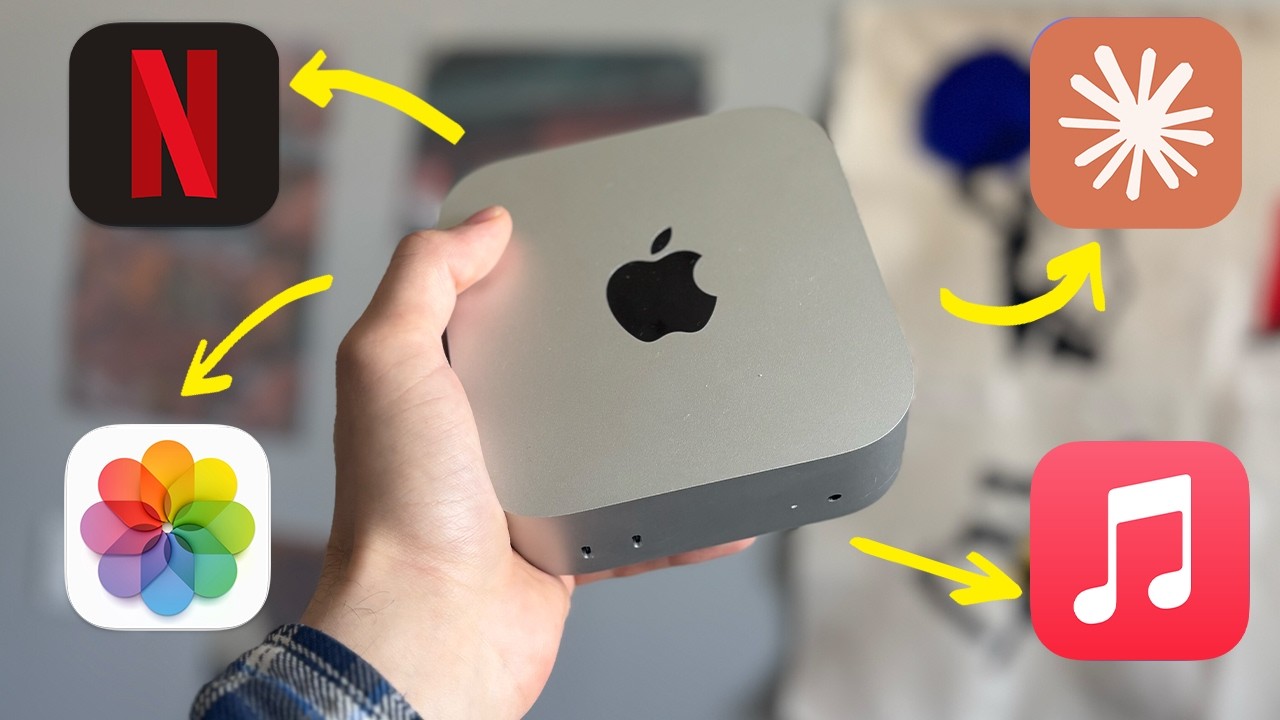
Un Mac mini portàtil sense monitor? La prova amb les ulleres VITURE Beast XR en una cafeteria
Paperless Lab converteix un Mac mini M4 en una estació de treball transportable connectant-lo a unes ulleres VITURE Beast XR. La pantalla virtual és gran, privada i útil per editar, però el conjunt encara necessita endoll, teclat i trackpad i no és tan pràctic com un portàtil.
El Mac mini és petit i potent, però no és un portàtil: no té pantalla, teclat, trackpad ni bateria. Paperless Lab prova una solució poc convencional per treure’l de l’escriptori. En lloc d’afegir un monitor portàtil o un iPad, connecta el Mac mini M4 a unes ulleres VITURE Beast XR i se’n va a treballar a una cafeteria.
El resultat funciona. Un sol cable USB-C porta el vídeo a les ulleres i els dona energia, i davant dels ulls apareix una pantalla virtual molt gran. Amb el programari SpaceWalker, l’usuari pot fixar-la a l’espai, convertir-la en un escriptori ultrapanoràmic o distribuir-hi diverses finestres.
Però «portàtil» aquí significa transportable entre endolls, no autònom. La bossa encara conté el Mac mini, el cable d’alimentació, un teclat, un trackpad i les ulleres. El mateix creador admet que un MacBook continua sent molt més pràctic per a la majoria de persones.
Què porta dins la bossa
La configuració del vídeo consta de:
- Mac mini amb xip M4;
- cable de corrent del Mac;
- teclat;
- trackpad;
- ulleres VITURE Beast XR;
- cable USB-C entre l’ordinador i les ulleres;
- una bossa compacta per transportar-ho.
El Mac mini M4 mesura 12,7 × 12,7 × 5 centímetres i pesa 0,67 quilos segons Apple. És molt més fàcil de portar que una torre, però el conjunt complet ja no és tan minimalista: cal reservar espai per als perifèrics i trobar una taula amb presa de corrent.
A la cafeteria, el procediment és:
- endollar el Mac mini;
- connectar les ulleres a una sortida USB-C/Thunderbolt compatible amb DisplayPort;
- encendre o despertar l’ordinador;
- posar-se les ulleres;
- utilitzar teclat i trackpad per controlar macOS.
La connexió de les ulleres és simple. La logística de l’ordinador continua sent la d’un equip de sobretaula.
Per què no utilitzar un iPad o un monitor portàtil
El canal ja havia provat les dues alternatives habituals.
Un monitor portàtil dona una superfície física, és fàcil de compartir i no carrega el cap, però ocupa espai, necessita suport i sovint un cable de vídeo i un altre d’alimentació. Un iPad és més compacte i pot tenir bateria pròpia, però afegeix un segon dispositiu car i la connexió pot requerir configuració prèvia.
Les ulleres eliminen la làmina física de la pantalla. Caben en un estoig i poden mostrar una imatge aparentment molt més gran que qualsevol monitor que es pugui dur còmodament a la motxilla.
A canvi, la pantalla només existeix per a qui porta les ulleres. No es pot girar cap a una altra persona, mirar-la un moment sense posar-se res ni conservar la mateixa ergonomia durant una jornada completa.
La pantalla de «174 polzades» no és un televisor físic
VITURE anuncia una pantalla virtual equivalent a 174 polzades vista a quatre metres. Aquesta formulació descriu la mida angular percebuda. No significa que les ulleres continguin un panell físic de 174 polzades ni que generin automàticament la mateixa àrea útil que diversos monitors reals.
La pàgina oficial especifica:
- panells Micro-OLED de Sony;
- resolució de fins a 1.920 × 1.200 per ull;
- camp de visió de 58 graus;
- brillantor percebuda màxima de 1.250 nits;
- taxa de refresc de fins a 120 Hz;
- contrast declarat d’almenys 100.000:1;
- pantalla virtual de 174 polzades a quatre metres.
La marca utilitza l’expressió «4K-like», però la resolució nativa publicada és 1200p per ull, no 4K per ull. L’efecte pot semblar molt nítid perquè la pantalla queda alineada amb la mirada i ocupa una part gran del camp visual, però convé no confondre una etiqueta comercial amb el recompte de píxels.
La transcripció del vídeo també diu que les ulleres pesen 96 grams. La fitxa oficial consultada el juliol del 2026 indica 88 grams per a les Beast. La diferència pot respondre a una unitat prèvia, una variant o una dada oral inexacta.
Com es veu en una cafeteria
Paperless Lab diu que la imatge es manté clara en interiors, oficines i cafeteries. La brillantor és suficient perquè el fons real no renti completament el contingut, i el panell OLED dona negres profunds.
L’experiència depèn de més factors que la fitxa:
- distància interpupil·lar;
- posició de les ulleres;
- forma del nas i coixinets;
- graduació;
- mida del text;
- llum que entra pels costats;
- tolerància personal a portar pes sobre el nas;
- qualitat del senyal de vídeo.
La capsa inclou quatre coixinets nasals i una muntura per a lents graduades. Qui necessita correcció visual ha d’encarregar les lents adequades; les ulleres no substitueixen automàticament qualsevol recepta.
El creador les troba còmodes per a sessions curtes de documents, navegació o vídeo. No les recomana com a monitor únic durant vuit hores diàries. Aquesta és una limitació important: una demostració de vuit minuts prova que el flux és possible, però no mesura fatiga després d’una setmana de feina.
SpaceWalker: on apareix l’escriptori ampli
La connexió directa ja ofereix una pantalla externa. El programari SpaceWalker afegeix les funcions més pròpies d’un entorn XR:
- pantalla fixada o Anchor;
- seguiment suau del cap;
- escriptori ultrapanoràmic;
- disposicions de múltiples pantalles;
- canvi de distància aparent;
- modes laterals;
- conversió de contingut 2D a 3D en plataformes compatibles.
Al vídeo, l’ultrapanoràmic és especialment útil per a edició de vídeo. Una línia de temps més llarga redueix el desplaçament horitzontal, i el creador pot tenir guió, editor i navegador oberts alhora.
La promesa de «tres monitors» s’ha d’entendre bé. Són superfícies virtuals generades per programari dins el camp visual, no tres sortides físiques independents. La comoditat dependrà de la mida de lletra, la precisió del seguiment, el rendiment de l’aplicació i la facilitat per moure el cap entre espais.
3DoF: fixar la pantalla perquè no segueixi cada moviment
Un problema de les ulleres que només mostren una imatge enganxada a la cara és que la pantalla acompanya qualsevol moviment del cap. Pot semblar artificial i cansar.
Les Beast incorporen seguiment 3DoF, és a dir, detecten rotació en tres eixos. Amb el mode fixat, la pantalla conserva una orientació aparent mentre l’usuari gira lleugerament el cap. Amb el seguiment suau, es mou amb retard i sense una resposta tan rígida.
No és el mateix que un sistema 6DoF complet, que també detecta desplaçament físic cap endavant, enrere, amunt, avall i als costats. Per a una pantalla asseguda davant d’una taula, el 3DoF pot ser suficient; per a experiències espacials en què l’usuari camina al voltant d’objectes, és més limitat.
Enfosquiment electrocròmic i visió de l’entorn
Les lents poden enfosquir-se electrònicament per augmentar el contrast de la pantalla virtual. Quan el fons queda fosc, el contingut guanya presència i s’assembla més a una sala de cinema.
El vídeo mostra l’ajust contrari quan cal:
- mirar el teclat;
- trobar un objecte a la taula;
- parlar amb algú;
- orientar-se dins la cafeteria.
La funció automàtica intenta aclarir l’entorn quan l’usuari abaixa la mirada i enfosquir-lo quan torna a la pantalla. És una ajuda, no visió transparent perfecta. En un espai públic encara cal treure’s o apartar-se les ulleres quan la situació exigeix plena atenció.
Privadesa: molt millor contra mirades, però no absoluta
Amb un portàtil o un monitor, una persona situada al costat o darrere pot llegir fragments de la pantalla. Amb les ulleres, la imatge virtual només és visible per a qui se les posa. Per treballar en un aeroport o una cafeteria, això redueix clarament el risc de mirades indiscretes.
No converteix l’espai públic en un entorn segur per si sol:
- altres persones poden veure què s’escriu al teclat;
- les converses i notificacions sonores continuen exposades;
- una xarxa Wi‑Fi pública manté els seus propis riscos;
- el sistema operatiu, les aplicacions i els comptes necessiten les mateixes proteccions;
- perdre el Mac o deixar-lo desbloquejat continua sent un problema.
Les ulleres són una barrera visual, no una política completa de seguretat.
També funcionen amb iPhone, Android i Windows
El vídeo connecta les Beast a un iPhone. SpaceWalker permet utilitzar la pantalla del mòbil com a trackpad i el telèfon com una mena de punter. Per veure pel·lícules o jugar, les ulleres ofereixen una imatge gran sense aguantar el dispositiu ni buscar una paret, com passaria amb un projector.
La compatibilitat real depèn de si el dispositiu pot enviar vídeo per USB-C o necessita un adaptador. «Compatible amb iPhone» no vol dir que qualsevol model, cable i aplicació ofereixin totes les funcions. Abans de comprar cal consultar la matriu oficial per al telèfon concret.
Per a Paperless Lab, el cas més valuós no és l’entreteniment, sinó el Mac mini M4. El canal el fa servir per editar vídeo, escriure guions, processar material i organitzar documents. Les ulleres donen una sortida gran a un ordinador que ja tenia el rendiment necessari.
On guanya i on perd davant d’un MacBook
Avantatges del conjunt Mac mini + Beast XR
- pantalla aparent molt gran en poc volum;
- més privadesa visual;
- configuracions ultrapanoràmiques o múltiples;
- possibilitat d’escollir teclat i dispositiu apuntador;
- ús del Mac mini que l’usuari ja té;
- rendiment M4 o M4 Pro en una caixa petita;
- connexió de les ulleres amb un sol cable.
Inconvenients
- necessita presa de corrent;
- no funciona bé sobre la falda;
- requereix taula, teclat i trackpad;
- només una persona veu la pantalla;
- pot cansar en sessions llargues;
- graduació i ajust facial poden exigir accessoris;
- el conjunt triga més a muntar-se;
- no és ideal per a videotrucades espontànies;
- el preu de les ulleres s’afegeix al dels perifèrics.
Un MacBook Air integra pantalla, bateria, teclat, càmera, micròfons i trackpad. Un MacBook Pro ofereix més rendiment sostingut i també conserva aquesta autonomia. El muntatge del vídeo només guanya quan l’usuari valora molt una pantalla virtual gran, ja disposa del Mac mini o necessita una configuració específica.
Per a qui té sentit
La proposta encaixa millor en aquests perfils:
- persones que viatgen entre hotels o oficines amb endolls;
- creadors que necessiten una línia de temps ampla durant una edició temporal;
- usuaris que ja tenen un Mac mini i no volen comprar un segon ordinador;
- treballadors que prioritzen privadesa visual;
- persones que alternen Mac, Windows, consola i mòbil amb la mateixa pantalla;
- entusiastes disposats a acceptar una ergonomia poc convencional.
Té menys sentit per a:
- qui treballa moltes hores seguides;
- qui necessita bateria i mobilitat real;
- reunions en què s’ha de compartir pantalla físicament;
- persones sensibles a mareig o pressió facial;
- qui només vol escriure correus i navegar;
- qui espera posar-se les ulleres i treballar sense cap configuració.
Conclusió
Les VITURE Beast XR resolen el principal obstacle del Mac mini fora de casa: la falta de pantalla. La resolució de 1200p per ull, el camp de visió de 58 graus, el 3DoF integrat, l’enfosquiment electrocròmic i SpaceWalker creen un escriptori virtual prou convincent per editar, escriure o veure vídeo durant una sessió curta.
No transformen el Mac mini en un portàtil complet. L’equip continua sense bateria, teclat, trackpad i càmera integrats, i depèn d’un endoll. Tampoc substitueixen necessàriament un monitor convencional durant tota la jornada.
La idea funciona quan es formula amb precisió: no és «un MacBook sense pantalla», sinó una estació de treball modular i transportable amb una pantalla privada que es porta a la cara. Per a un nínxol concret pot ser excel·lent; per a la majoria, obrir un portàtil continuarà sent més senzill.
La descripció del vídeo conté enllaços d’afiliació d’Amazon per a les ulleres, el Mac mini, el teclat, el trackpad i la bossa. Cal tenir-ho en compte en valorar la recomanació i contrastar preu, compatibilitat, política de devolució i confort abans de comprar.
Contrast i context
Fonts consultades
-
01
Paperless Lab I Took My Mac mini to a Café — Without a Monitor
- 02
-
03
VITURE VITURE Beast XR/AR Glasses
- 04
-
05
Tom’s Guide VITURE Beast review after 10,000 miles
Font de treball
Transcripció amb marques de temps
Consulta la transcripció
-
0:00
, obre el vídeo en una pestanya nova
I finally turned to my MacMony into a computer I can use for mobile work, not by connecting it to a portable monitor, not by using an iPad as a screen, but with this pair of Viterbeasts XR glasses. Inside this small bag is everything I need to carry for working outside. A MacMony, a power cable, a keyboard, a trackpad, and this pair of Viterbeasts XR glasses. Once I get to a cafe, all I need to do is find a place with a power outlet, plug in the MacMony, and connect it to the XR glasses with a Type C cable. After I put them on, a huge virtual screen appears right in front of my eyes. So in this video, I want to test one question. Can these Vichor beast X-R glasses really turn the Mac Mini from a desktop computer into a mobile workstation that I can use outside? Hi everyone! This is Papalus Lab. Your Papalus productivity expert, I share practical digital tools, software tips, and interesting productivity methods to help you improve your Papalus learning and office workflow. If you've always thought that the Mac Mini can only stay on a desk, this video might change the way you see it. Because the biggest problem with the Mac Mini has never really been performance. The real problem is that it does not have a screen. So, in the past, I have tried many different solutions. For example,
-
0:48
, obre el vídeo en una pestanya nova
I used an iPad as a display for the Mac Mini, and I also tried connecting it to a portable monitor. These solutions all work, but they still have one problem. You still need to carry an extra screen. But the Witcher beast X-R glasses offer a different idea. Instead of asking you to carry another monitor, they let you wear the display directly in front of your eyes. That is why I think the combination of the Mac Mini and these glasses is so interesting. The Mac Mini itself is very small and powerful, and if you add a display solution that is portable enough, it is no longer just a desktop computer. It has the chance to become a mobile work device. Of course, let me be clear first. This setup is not more convenient than a MacBook. The biggest advantage of a MacBook is that you can just open it and start using it. The screen, keyboard, trackpad, and battery are all built in. But with a Mac Mini and XR glasses, you still need power, a keyboard, a mouse, or a trackpad. So this setup is not meant to replace a MacBook in every situation. It is more suitable for people who want the performance of a Mac Mini but do not want to carry a traditional monitor. Under that condition, the VTBs exeglasses become very valuable. Let's start with the wearing experience. These glasses weigh 96 grams.
-
1:37
, obre el vídeo en una pestanya nova
and they do feel quite light in the hand. When I put them on, they also do not feel as exaggerated as I expected. If I am just watching videos browsing the web or working on documents, the burden is not obvious during short sessions. So I think they are more suitable as a display solution for mobile work, temporary work and business trips, rather than a complete replacement for the traditional monitor on your desk. The connection is also very simple. You only need one type C cable to handle both video transmission and power. This is very important for mobile work because a traditional monitor usually needs a video cable.
-
2:25
, obre el vídeo en una pestanya nova
and an extra power cable. Next, let's talk about the most important part, the display experience. The Vichubi's X-A glasses can reach up to 12-15 minutes of brightness, in regular indoor environments, cafes, and offices that image is quite clear. Even when the ambient light is strong, it does not look as washed out or dim as some small projectors. Its official resolution is 120P, although it is not a traditional 4K display, the screen appears directly in front of your eyes, so the actual visual experience is much clearer than I expected. If you are new sighted, One thing to note is that you cannot simply wear these glasses as a full replacement for your regular prescription glasses. You need to order additional prescription lens inserts and attach them inside the glasses with a clip. The box also includes different nose pads so you can adjust them based on your face shape and nose bridge height. Next, let's talk about what makes it most different from a traditional monitor. First is the screen size. It can display the equivalent of a 174 inch screen. In other words, what you see is not a small screen, but a very large virtual display. It feels like carrying a giant monitor with you.
-
3:14
, obre el vídeo en una pestanya nova
When watching videos, the sense of immersion is clearly stronger than using a phone, a tablet, or a regular portable monitor. And in office scenarios, a large screen also makes a real difference. For example, when I connect it to my Mac Mini for video editing, the timeline feels much more comfortable to work with. If I set it to an ultra wide mode, I can see a longer section of the video timeline, so I do not have to drag left and right as often while editing. For video creators, this can genuinely improve efficiency. It can also use the space walker software to unlock more display options. You can adjust the screen distance or use multi-screen display. This way I can check my script, edit my video, and open a webpage for research at the same time without actually carrying three physical monitors. For Mobile work, this is one of its biggest advantages. However, there is one question many people care about when it comes to XR glasses. Will the screen shake? Because if the screen keeps moving with your head and shaking, working with it can easily become tiring, and it may even make you feel dizzy. The Vigil-Beast XR is also one of the few XR glasses in the world with built-in three-dough, spatial tracking. And for the problems I just mentioned, it has several modes to solve them. For example...
-
4:03
, obre el vídeo en una pestanya nova
There is a pin mode. You can fix the screen in one position. So even if your head moves slightly, the screen will not keep shaking with you. If you want the screen to follow your view but not feel too stiff, you can also use the smooth follow mode. This way, whether you turn your head slightly or adjust your sitting position, the screen can follow your perspective more naturally. Another very useful feature is Electrochromic dimming. You may notice that when looking at the screen through XR glasses, the background is often darker. This creates a stronger sense of immersion, but it may also make you worried that you cannot see the real environment around you. For example, you may need to look at the keyboard. Pick up something on the desk or talk to someone. The vitro beast supports 9 levels of electrochromic dimming so you can adjust the transparency of the lenses. If you want to focus on work, you can make the background darker and the screen more immersive. If you need to see the real environment, you can make the background brighter, so you are not completely separated from the outside world. It can also use automatic electrochromic dimming. When you lower your head to look at the keyboard, it can make the real environment easier to see. When you raise your head to look at the screen, it can automatically enter a more immersive display state. Another thing I really like is the privacy.
-
4:51
, obre el vídeo en una pestanya nova
With a traditional monitor or laptop, when you work in a cafe, airport, or public space, people around you can more or less see what is on your screen. But with XR glasses, only you can see the screen. Of course, the trade-off is also obvious. Other people cannot see your screen, but they can see you sitting there wearing a pair of XR glasses while working. Right now, it may still look a little strange, especially in a public place like a cafe. But I think as these devices become more common, this kind of scene will probably become more normal in the future. Besides connecting to a Mac Mini, it can also connect to other devices.
-
5:40
, obre el vídeo en una pestanya nova
such as Windows, Android phones, and iPhones. After I connect it to my iPhone, I can use spacewalkers watch videos and play games. I can even use the iPhone as a laser pointer to control the cursor, or use the phone screen as a trackpad to operate the interface. This experience is quite interesting because the phone is small. If you want to watch videos for a long time, you usually have to hold the phone or find a phone stand. A small projector can project a large image, but it needs a wall. The right distance and angle, and its brightness and clarity are often affected by the environment. The advantage of XR glasses is that they do not need a wall. They do not need a fixed angle and you do not need to keep holding your phone. Whether you are sitting, standing, or lying down, they can provide a relatively large and immersive screen. But for me, the most valuable use case is still pairing them with the MacMany for mobile work. The performance of the MacManyM4 is already more than enough for me. I use it to edit videos, write scripts, process footage, and organize documents. If I am just working at home, of course, connecting it to a traditional monitor is the most comfortable option. But if I need to travel or work in a cafe, I obviously cannot carry a monitor with me.
-
6:28
, obre el vídeo en una pestanya nova
This is where the video-based X-Og glasses solve a very specific problem. They give them a mini a truly portable large screen display solution. Of course, this setup is not perfect. First, it cannot work independently without another device. It is still essentially an external display, so you need to connect it to a Mac mini, a computer, or a phone. Second, there is a wearing and adaptation cost. Watching videos, writing documents, or editing for a short period is fine, but if you work for 8 hours every day, I would still recommend using a traditional monitor. Third, If you are new sighted, you need to order additional prescription lens inserts. So my conclusion is that the Vitra-Best XR glasses cannot completely replace a traditional monitor and they cannot make the Mac Mini as convenient as a MacBook that you can simply open and use, but they do open up another possibility. If you want a mobile workstation that is lighter, more flexible and has a larger screen, the combination of a Mac Mini and XR glasses is no longer just a toy-like idea. It is more suitable for business trips, hotel work, cafe work, temporary editing, reading documents and watching videos. The MacBook Air is definitely more convenient.
-
7:17
, obre el vídeo en una pestanya nova
but its performance may not be enough for every heavy workload. The MacBook Pro is more powerful, but it is also more expensive and heavier. The combination of a Mac Mini and the Viterbee Stecksuglasses offers a different route. The performance comes from the Mac Mini, the screen comes from the XR glasses, and the keyboard and trackpad can be chosen based on your own habits. It is not the most traditional mobile office setup, but it is definitely one of the most imaginative combinations I have used so far. So here's the question, do you think XR glasses like this could replace traditional monitors in some specific scenarios in the future?