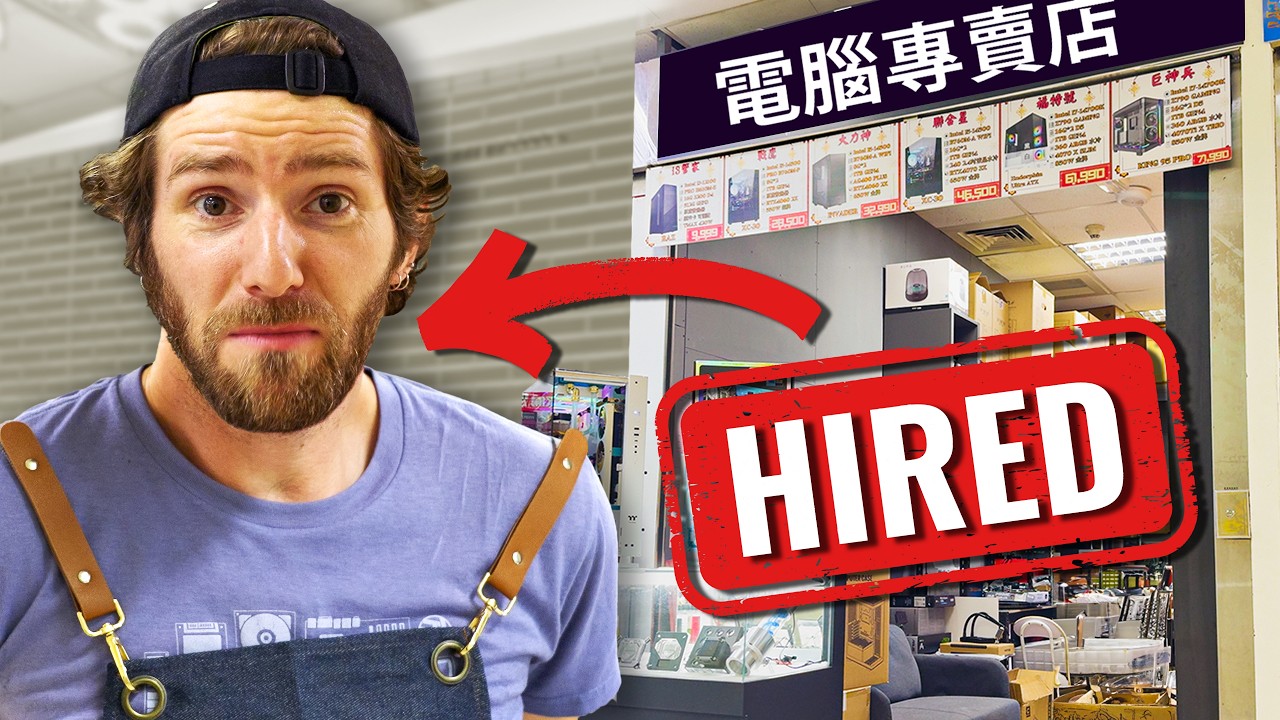
Yvonne tria un Acer Swift 14 AI després que Linus s’equivoqui de portàtil
Linus compra dos HP de 16 polzades pensant en els usos antics d’Yvonne; ella prioritza mobilitat i tria un Acer Swift 14 AI.
Linus Sebastian entra a Best Buy convençut que sap quin portàtil necessita la seva dona, Yvonne. En surt amb dos HP de 16 polzades perquè no pot decidir-se; ella els descarta i torna a la botiga per escollir un Acer Swift 14 AI més petit. La història sembla una comèdia domèstica, però il·lustra un error habitual: comprar a partir dels usos antics d’una persona en lloc de preguntar què ha canviat.
El vídeo de Linus Tech Tips no proclama un guanyador universal. Compara prioritats, tacte, pes, ports, bateria i preu en configuracions concretes disponibles aquell dia. Els enllaços de la descripció són d’afiliació i alguns poden compensar Linus Media Group, un context rellevant quan es tracta de recomanacions de compra.
1. El Dell XPS 15 encara funciona, però ja no encaixa
El punt de partida és un Dell XPS 15 de sis anys que es conserva bé. A 00:00, Linus explica que havia servit com una estació de treball semimòbil, gairebé sempre sobre una taula. Ara Yvonne utilitza sobretot l’ordinador de sobretaula i només necessita el portàtil quan viatja.
El problema no és només la velocitat: l’XPS és prou pesant perquè sovint el deixi a casa i intenti treballar des del telèfon. A 01:28, ella defineix les necessitats reals: poc pes, facilitat de transport, pantalla tàctil i prou capacitat per a feina general. No vol un Mac.
Yvonne no identifica una mida exacta. Amb les mans assenyala aproximadament una pantalla de 15 o 16 polzades, però més endavant admet que havia calculat malament les dimensions. Aquesta ambigüitat acabarà pesant més que qualsevol diferència de processador.
2. Més de cent opcions i una mala hipòtesi inicial
A 02:11, Linus i David compten més de noranta portàtils Windows exposats i superen el centenar en afegir els Mac. A diferència d’un ordinador de sobretaula, un portàtil no es compra només per la fitxa tècnica: teclat, frontissa, pantalla, soroll, distribució del pes i rigidesa s’han de tocar.
Linus elimina els models grossos o barats amb xassís flexible, els equips sense els ports adequats i alguns Snapdragon per evitar possibles problemes de compatibilitat en un ordinador que no voldrà mantenir personalment. També dubta de certs adaptadors Wi-Fi MediaTek perquè afirma haver trobat incidències ocasionals fora de casa.
La decisió que desvia tota la cerca arriba a 06:59: conclou que Yvonne necessita 16 polzades. Ho basa en compres anteriors i en les seves queixes quan utilitzava una pantalla de 14. És una inferència coherent sobre l’“Yvonne de fa sis anys”, però contradiu l’ús actual, centrat en mobilitat.
3. L’HP OmniBook 5 guanya per relació entre especificacions i preu
La llista curta comença a 07:26. Després d’eliminar diversos Asus VivoBook amb el mateix xassís, queden dos HP OmniBook 5, un Asus Zenbook car i un HP OmniBook X encara més car.
Entre dues generacions de l’OmniBook 5, Linus prefereix l’anterior: per un preu semblant ofereix vuit nuclis en comptes de quatre, més memòria, més emmagatzematge i pantalla OLED. La sèrie HP OmniBook 5 16-ag1000 admet configuracions amb Ryzen AI 7 350 de vuit nuclis, fins a 32 GB, SSD d’1 TB i panells OLED o tàctils; la combinació exacta varia segons el mercat.
També té HDMI, USB-A i dos USB-C. Linus comprova que la targeta sense fils és Realtek, però critica la flexió de la tapa i el teclat, menys refinat que el de la gamma superior. La seva conclusió provisional és que la configuració econòmica cobreix prou bé les tasques d’Yvonne.
4. Pagar mil dòlars més per detalls que es noten cada dia
L’altra finalista és un OmniBook X de 16 polzades. A 10:49, la diferència mostrada és d’uns mil dòlars canadencs. A canvi, ofereix Wi-Fi 7, millor processador i gràfics integrats, més bateria, xassís més rígid, teclat superior i pantalla tàctil.
La gamma oficial HP OmniBook X inclou moltes combinacions de 14, 16 i 17 polzades, amb processadors AMD o Intel i pantalles tàctils o no tàctils. Per això “OmniBook X” no és una especificació suficient per comprar: cal comprovar el número de model i la configuració del comerç.
Linus no sap si les millores justifiquen el sobrecost per a un ordinador d’ús ocasional i, a 12:00, presenta tots dos HP com a regal. El fet d’haver-ne comprat dos ja revela que els criteris no estaven resolts.
5. La prova amb Yvonne desmunta la selecció
La primera reacció és que tots dos semblen pesants. L’OmniBook 5 marca 3,089 lliures, aproximadament 1,4 kg: poc per a una pantalla de 16 polzades, però no necessàriament poc per a algú que vol portar-lo sempre. Yvonne tampoc necessita ja el teclat numèric i diu que la pantalla és més gran del que imaginava.
La configuració econòmica no és tàctil, una condició que ella havia qualificat d’imprescindible. La superior sí que ho és, però pesa més. Les proves de mecanografia a 16:35 donen 131 paraules per minut amb un teclat i 128 amb l’altre; la preferència pel tacte no coincideix necessàriament amb la puntuació.
La prova definitiva és la motxilla. A 17:27, el portàtil de 16 polzades hi entra molt just. Yvonne resumeix l’error: Linus ha comprat el que li hauria agradat quan feia més feina mòbil, no el que necessita ara per a viatges esporàdics.
6. L’elecció final: Acer Swift 14 AI
Yvonne i David tornen sols a la botiga. A 19:35, reapareixen amb un Acer Swift 14 AI perquè combina la mida, la pantalla tàctil, la memòria, el processador i el rang de preu que havien acordat.
Linus obre la base i confirma que el mòdul Wi-Fi és substituïble, una excepció útil en una màquina amb molts components soldats. La configuració del vídeo té una bateria de 75 Wh, processador AMD amb nuclis Zen 5, gràfics integrats, dos USB-A i sortida de vídeo per USB-C. L’anunci tècnic d’Acer confirma que el Swift 14 AI AMD es ven amb Ryzen AI 300, bateria de 75 Wh i opcions de pantalla tàctil; memòria, panell i emmagatzematge depenen de la referència.
No és perfecte. La tapa i el xassís semblen més flexibles, i la frontissa eleva la part posterior del teclat en obrir-se. Aquesta inclinació pot ajudar sobre una taula, però Yvonne la troba incòmoda sobre les cames. Accepta aquests inconvenients perquè portabilitat i tacte pesen més que una construcció premium.
Conclusions
La selecció no fracassa perquè Linus desconegui el maquinari. Fracassa perquè optimitza la mida de pantalla, la durabilitat i el valor a sis anys quan la compradora prioritza una màquina que realment vulgui posar dins la motxilla.
La pauta útil és ordenar necessitats abans de mirar processadors: pes màxim, mida que cap a la bossa, pantalla tàctil, autonomia, ports, teclat i pressupost. Després cal provar físicament els finalistes i verificar la referència exacta, perquè una mateixa família pot contenir panells, memòria i xarxes diferents.
L’Acer Swift 14 AI no és “millor” que els dos HP en abstracte. És millor per a l’ús actual d’Yvonne. Aquesta és la decisió que una llista d’especificacions, per completa que sigui, no pot prendre tota sola.
Contrast i context
Fonts consultades
-
01
Linus Tech Tips My Wife Needs a New Laptop
- 02
- 03
- 04
Font de treball
Transcripció amb marques de temps
Consulta la transcripció
-
0:00
, obre el vídeo en una pestanya nova
My wife's DelExPS15 is built like a tank. It looks as new today as the day we bought it, but that was six years ago and a lot has changed both about laptops and her needs in that time. It used to serve as mostly a desk-bound semi-portable workstation, but now she's on the goal a lot more and she needs something lighter. Also, in the last six years there's been major improvements to performance, displays, and especially battery life in laptops. But rising costs, lack of up-grade ability, not to mention just the hassle of setting up a new machine, makes buying a laptop a pretty big commitment these days. Thankfully, I'll have some help. Before we came to Best Buy, David sat down with Ivonne to find out exactly what it is she's looking for in a new machine. And? Oh, I'm gonna tell you, but first you're gonna have to make your best guess, so we can find out just how well you know your wife. Oh, really? Dude, I thought we were bros! Everyone knows it's hose before bros, before hose. I don't make the rules. What's before the segway? To our sponsor. O-snap makes phone accessories that don't suck, like the snap grip and the grip stands. So you can grip your phone properly, and you don't end up like a sleepy slip button over there. Something is not right with that boy. I think I currently use a Dell XPS, but I have no idea what year or model. When I first got the laptop, I used it for a completely different reason than I do now. I used it for work. I used it for crafting. And now I find that I actually don't use my laptop very often. I'm usually using my desktop most often. So now when I'm using it, it's usually for travel. My current laptop is really slow and really heavy. And when I'm on the go all the time,
-
1:52
, obre el vídeo en una pestanya nova
I just don't bother taking it at me. And then I try to do work on my phone and that's very ineffective. First things first, find the camera department. We've upgraded our setup. Now we both have glasses, so we can fill me each other while we fill me each other. It looks like the biggest door to that receiver. I know. I know. I know. Anyway, that's not the point. The point today is that we've actually got a lot of options to choose from. Laptops take up freaking like a solid 20% of the floor area in here. Meanwhile, where are the desks tops even? I missed the good old days, David. Honestly, there's so much choice. I'm feeling a little overwhelmed here. Also, basic game selection? Sorry, I didn't mean to call Katan basic. I just mean that's so weird. I've never seen that at best by before. They've got a diversify. Do you know what the three priorities for Avon are? I'm gonna think about that in a minute. I just want to get the lay of the land here. It's just like, del land, Lenovo land, Microsoft land. Also, the branding of the display doesn't seem to always dictate what's on top of it. Microsoft, for instance, seems to buy space for Samsung and ASUS. Here's Microsoft's actual hearsall of our laptops. It's display. Wait, there's even more on the other side of the desktop. I don't quite know what I was expecting, but not this. There's over 90 laptops on display here, which I guess kind of makes sense. I mean, compared to desktop's, which you can just shop for by spec, laptops are still a very personal shopping experience.
-
3:19
, obre el vídeo en una pestanya nova
You got the look and the feel of the keyboard, the screen, all these things factor into it and the only way to experience them is to do so in person. So I guess it makes sense. I'm just a little overwhelmed. I'm gonna need to narrow this down. Wait, we haven't even found Apple yet. Welcome to Apple Park. Okay, I could not have staged that better. That was not always her real fun. It's right there. If you count the, what's a computers? That puts us over 100 models on display because she's not going to want these, though, so we could go back over there. I am not open to using a Mac. Probably the easiest way to start narrowing things down is to consider the use case. Portability's huge, so I don't want something heavy. That might eliminate anything 15 inch or above. My ideal screen size is, I don't know, like this, what size is that? I have no idea. It's just like 15, 16 inches. I know, but screen size is huge for her. I give her my 14 inch to use sometimes, and she's always like, too small. With all that in mind, a good place to start then might be lightweight 15 inch laptops, but what I found is that this particular product segment tends to go all in on screen size and cheap out on some of the other materials, and that's not what I want. I want her to get another six plus years out of this device. Have you thought about the budget? Do you want to spend? I'll be honest with you, no. More than $330, I can tell you that much right now,
-
4:44
, obre el vídeo en una pestanya nova
but I haven't made it much past there. I'm not sure about a number pad. Yvonne still does a fair bit of data entry, but it also shifts the keyboard off to the side which I personally find less ergonomic for long sessions. This Omni book X could be a contender. It does have the bilingual characters on it, but it's got pretty much a standard US layout. It's using a Ryzen AI 300 series. The screen is really heavy though. And I know she doesn't care about this kind of light convertible to in one stuff, although I suspect she'd rather have a touch screen than not. I definitely want to touch screen. That's super handy. I don't think my laptop had that, but I could also be remembering wrong. Again, it was so heavy that I just stopped bringing it with me places. Okay, you can tell me if I'm right about the touch screen. I actually know, to tell me nothing, tell me nothing. Damn, this is going to be tough. These are all too thick. She definitely wouldn't like that. I'm starting to get a better idea of what I want. What you want are what if all I'm not? Yeah, I don't know. I'm starting to get a better idea of what I want free von. This seems to be the very upper end of kind of the type of product that I want for her. So this is a 400 series Ryzen 9. Okay, it's got an OLED, it's got a touch screen, it's super thin, super light. Still has HDMI output though. Isn't it right off? I think yeah, it is for work. It is a right off, but don't make me do the tax right off rent again. I would still be spending the money. I don't like wasting money and for how much she uses her laptop. I really don't know if I want to spend that much. I don't think Linus is going to want to spend very much on the laptop. I love my wife. I just show it in other ways than buying her computers. Here's the Intel version of that Omni book. XI liked earlier. This takes basically every box. Number pad touch screen big screen. Also, it's a Core Ultra Series 3, but also $2,700 Canadian dollars. And that's for no dedicated graphics card. Intel, I know it's good graphics, but it's still on board, you guys. Samsung's one of those brands that makes actually really nice devices, but I just, I don't think about them. This is a Snapdragon though, so I'm probably gonna pull off on it, just because I don't want to deal with the compatibility issues if you've done does have a problem. It's a machine for me. I don't mind troubleshooting. If it's a machine that I'm recommending or buying for someone else, I just tend to take the easy path. The more I look at this, the more I think we need to go 16 inch rather than 15.6 inch. So that narrows our options a lot. Man, Dell is really not putting their best foot forward with what they have on display here.
-
7:10
, obre el vídeo en una pestanya nova
I don't see a single XPS. When did insparones get kind of sexy though? Seriously though. I told myself to help organize my thoughts. I'm gonna go around and take a picture of everyone I'm I'm seriously considering and like, this is hard. All right, I got my pictures of everything. Now it's time to narrow things down. This assi keyboard is dead. That's one. We're 10% of the way there. Are these the same computer? These are two of the same chassis, just different specs. I think for an extra 100 bucks, I'm gonna go with the better chip. Wait, what? But I get less RAM. Oh, but the one with less RAM is a bigger drive. Are you kidding me right now? Did I just take a picture of the same chassis three times? I mean, I'm noticing a pattern here. If I liked it three times, then maybe I like it. Also, holy crap, I just remembered. AMD uses media tech Wi-Fi chipsets. I don't wanna diagnose the vans freaking Wi-Fi connectivity issues. Oh man, I was skewing pretty heavily AMD on most of my selections here. I hate that deal they have with media tech. It's not that bad, but on the very occasional time when it doesn't work, it's really annoying. And you can't always guarantee what Wi-Fi access points gonna be connecting to. It works fine at home, but sometimes during a coffee shop. Can't control what they're using, right? So it's tough. $2000 really feels like too much to spend on a machine with a 60-hertz display. Also, is this just about that same Vivo Book chassis again? I should out the same Vivo Book chassis four times. Okay, let's take a much closer look at it. Are they actually all the same. Yes, they do seem to be the exact same chassis. So it's just a question of spec then at that point how much you want to spend. She types a lot. She's a super fast type. And she's the kind of person who like, if you ask her how important is it to have a really high quality keyboard should be like, nah, that's fine. It doesn't matter. Like, I'm good. But then you put a high quality keyboard in front of her and she's like, this is nice, you know? I don't know if I'm picky about keyboards or not. I feel like I'm not picky about
-
9:07
, obre el vídeo en una pestanya nova
So keyboards, but then when I get a bad one, I'm like, oh, this is gross. That's almost worth the word. Really? Yeah. Whoa. Now, I know one of the things we're trying to get away from from her old machine is that it was kind of tanky and really heavy, but that is maybe not acceptable. Again, I want to get a lot of years out of this thing. So if we get another six years, I don't mind a few hundred bucks a year on a device. I went through kind of the same conversation when we were getting phones for my kids. Hey, I'm a plus side, that eliminates four of my options. I might end up spending a lot more than I had intended to. That leaves me with just two Omni bookfives, a super expensive Zenbook, and a really expensive Omni bookaxe. Let's see if I can avoid those expensive ones. Between these two Omni bookfives, there's no way that I'm taking the newer one. Yeah, it has a newer chip, but the newer chip has only four cores, rather than eight cores, both of them are Zen5 architecture, because AMD just like changed the model numbers without really changing anything about the underlying chips. And the older model has more RAM and more storage, and they're the same price. So this is up. And I even forgot the old one has an OLED too. So it's just the better choice. What I'm hoping is that I can replace the wireless module because this is going to have a media tech chip. I think they'd let me open up the bottom. Is that pushing it? That's pushing it. Oh, we got real tech-wise. I think we might have a winner here folks. Why five? Five? Hmm. You know what? I don't think it matters for her. It's the thing that HDMI.
-
10:43
, obre el vídeo en una pestanya nova
USB A. Love to have at least one of those two USB Cs. All right. Let's go look at the expensive ones. Are they worth another thousand dollars? For a thousand more dollars, I get why if I seven, I get coral for three. I get up to a claimed 25 hours of battery life. I mean how much do you love your wife? A lot. I don't think Linus is going to want to spend very much on the laptop. I don't measure my love in material things, David. And this is actually heavier than the Omni book five. The keyboard is undeniably better though. And while I actually didn't show it, we weren't rolling the camera. The Omni book five screen is quite bendy. It's not as bad as the Vivo book, but it's a gymnast, you know? flexible. Finally, the Zenbook S16. Pretty stiff. No USB A. Who? Okay. Dodge double it there because there's no way she didn't mention that. I don't know what ports are named to what thing. I just know I want the one that's big and I want the one that's smaller that fits my phone. It's HP versus HP. The battle of the HPs, which one do I choose? $1,000 difference, but I get a better keyboard, better Wi-Fi, Better performance, nicer chassis, better screen, and a touch screen. I think you know the right answer. Happy birthday, honey! Here's your new laptop. Or also here's your new laptop. What? I couldn't decide. You couldn't decide? No. Why? What's the difference? Well, I'm hoping you can tell me. All this feels heavy. What? I'm comparing it to the laptop I'm currently using, which is your laptop. Well, you might have.
-
12:20
, obre el vídeo en una pestanya nova
I was honestly hoping you would just give me your laptop, I'm just gonna get your laptop, because it's all set up already. Ha ha ha ha. That isn't what happened. I thought, would you like me to talk you through this one? Yes, tell me about it. It has. It has a number pad, which I think you would have picked for me six years ago, but now I don't think I need as much anymore. I still thought you might prefer to have it or says not have it. I said my top two things was portability. It's heavy. It's way lighter than your old one. But I'm not comparing it to my six-year-old laptop. I'm coming out here to laptops nowadays, which are much lighter. I told David that you would have no problem picking a laptop for me and you would just know. I'm gonna go get a scale. It is 3.089 pounds. Okay. And this is my current laptop, which is very similar to the one that you've been using, the older Gen 1 and it is three pounds. This is actually a really light laptop for the gigantic screen that you get. but I didn't want to gigantic screen necessarily. That's the exact size that is that? Is that with your hands, yeah? Okay, okay, then I got that wrong. I'm not good at spatial stuff. Why are you looking like that over there? I'm not sure what's harder. Shopping for someone who knows exactly what they want, or shopping for someone who has no idea what they want.
-
13:42
, obre el vídeo en una pestanya nova
Both of them present their own unique challenges. I had some idea what I wanted. I was just wrong about the dimensions. Why don't we go ahead and have a look at your second option. Once again, you got a number pad? Number pad, because at this size of laptop, it's actually a pretty common feature. The main upgrades for this one is a little bit better graphics performance, so if you ever come to weigh a land and you want to play, either these will be okay, this one will be a little bit better. It has a little bit faster Wi-Fi, it has a bigger battery in it, but other than that, the differences are ones that, if you don't notice your care, then you don't notice your care. I'm just thought that the number of times I borrowed your gold laptop, you would have figured that that was a good one. I don't know. Actually, one can't I have that one. I offered it to you and you were like, no, it's okay. I thought I said that because I thought it was your current one. I didn't realize it was your old one until today. In fairness to me, you can see that I have been given numerous red herrings. It's fine, it's fine. It's fine. No, no, no, no, no. If you don't like them, I'll pick one and I'll be happy with it. I don't want you to settle, okay? So this is the PX13 and my old one is the Flow X13. So this is just the new model. That is one difference between these two. But let's get them both set up. This is a cool feature. I don't think you have Windows Hello on your old machine. So it just uses facial recognition to sign you in when you sit down. Oh, that's nice. I'd set it up so you can try it. Is that one faster?
-
15:16
, obre el vídeo en una pestanya nova
It is. Even our slower machine is an eight core processor. 32 gigs ram, one terabyte storage. They actually both have 32 gigs of ram and one terabyte of storage. I knew you would want more ram. Yep. Okay. Can I use my touch screen? It's not touch screen? What is? Okay. Well, I already know now. Okay. Do you though? That was a must. I think if I had gone shopping myself and been presented with different options for each thing, then I would have been able to pick better. But you were also supposed to know me. One thing that I want to check is which one more easily fits into a backpack. They are quite large. While we wait to test the backpack fit, why don't you have a look at the I. What's the I. Oh, the stuff right there. Yep. Okay. USB A, HDMI, dual USB Cs. Oh, there it is. So here we got Thunderbolt, USB A, another Thunderbolt, HDMI, USB A and a three and a half millimeter deck. Is USB C different than Thunderbolt? Yes. What's the one then? They look the same to me. I think these ones are actually Thunderbolt compatible, but because this is not an
-
16:23
, obre el vídeo en una pestanya nova
Intel laptop, it's not technically Thunderbolt certified. Honestly, for your purposes, it's not really going to matter. You don't have a single Thunderbolt device in your entire life. Okay, but it won't just charge my things faster. No. Any thoughts on the keyboards so far? Oh, I like that one better. Give this one a little bit more time you've got to do. two words on this. No, I know, but the spacing on this one is weird for my fingers. Yeah, why don't you do a typing test? 131, 97% on that one. Oh, I think I'm nervous. 128, 98. I liked the feel of these. It was just the spacing that was slightly off, but I can probably get used to that. I do think that you would get used to that pretty easily. Okay, wait, do I know how heavy, all of this one feels heavier? So, remember how touch screen was a non-negotiable for you? Yeah. it adds almost a pound. Really? But yours has touch screen. Mine does have a touch screen. Mine is a lot smaller. I think it's going to be hard once you've looked at this to go back to this. What we're checking now is if I was crazy when I got you a 16 inch screen. Which is possible, but I think I'm likely. I feel like you got me something that old me six years ago would have really liked. I don't think I did a good job of explaining to David the difference between then and now. But before for work, I would move around a lot, and I would need the full thing, whereas now I do most of my work at my desk. And so when I'm on the go, it's usually just random stuff.
-
17:52
, obre el vídeo en una pestanya nova
It's not often work. I mean, I have one extra column on this, and a lot more length. Oh, I don't know, but the portability. How is the portability? Literally do not even know if this is gonna fit in here, wasn't a consideration at all. The answer is it's gonna be tight. It's really tight. I would not advertise the commuter as being compatible with 16 inch laptops, but it can fit. I could have dealt with the bigger size if it was light and had a touch screen, but it is light. Not the one with the touch screen, that's my point. It feels like we gotta go that way and give up the bigger screen and the number pad. I see. This is about a thousand US dollars. This is about two thousand US dollars. And that is about four thousand US dollars. Ooh. It's the fact that it's a high-end strict halo laptop. It's the fact that it has a foldable screen. It's the fact that the build quality, like totally rocks. It's this is just a absolutely top of the line laptop, which probably is my and is why you like borrowing it. But do you want to pay for it? Oh no. All right, you've done. Tell you what. This was my best shot. Why don't you head to the store and have a look and see if there's something else that tickles your fancy? Because I'll admit that I eliminated anything that didn't have a big screen because I figured that maximizing screen real estate was gonna be a top priority. Every other time you've picked a laptop, I'll be back to school. You've gone with a 15.6 or 16 inch class display.
-
19:17
, obre el vídeo en una pestanya nova
Yes. Every time I lend you my laptop, you complain that the screen is too small. Well, not recently, but I think that's why I was looking for a new laptop is because I'm looking for something totally different. Otherwise I would just use my own one. All right, go have a look. One day they go. So how'd it go? Good. It was actually really, really simple. We went in. We told them what we wanted, and we walked out with one laptop. You ended up with an ace or swift. What's wrong with that? Nothing. It's just a little surprising, is all. Yeah, it was the only laptop that had the processor David wanted. The memory that we talked about, the screen size, the touchscreen, the price range, like, I don't know. I don't know what it didn't tick off, honestly. Does it use media tech Wi-Fi? I don't know what that is. Let's find out if it can be swapped. Oh, you're gonna actually swap it. Well, yeah, I have so many problems with my media tech Wi-Fi. Remember, that's the whole reason that I wasn't just giving you my old Flow X 13. Let's go! All right. Okay. I don't even know what I'm looking at. Where am I looking at? Okay. So that socket means that we can just get any Wi-Fi card we want. We can check it in here. And basically it's good to go.
-
20:35
, obre el vídeo en una pestanya nova
You should get pretty solid battery life out of this thing. Yeah, I said it was gonna be 17 hours. 75 watt hour battery and this uses Zen 5 cores. So that's a big advantage over my old machine, which uses Zen 3, which really did not have the same kind of battery life. What else do you care about? I think it had good graphics cards. They said I could play games on it. It has good on board graphics. Not a discreet graphics card. Yeah. Discrangers really sucks. I like the keyboard. It was good. monkey type test on it, it was good. You've got a couple USB type A's, which is always nice to see, display out over USB C. Yeah, it's funny, because this is probably more like something that I would pick for myself than something that I would have picked for you, which is fine. I mean, you don't even my approval, it's your laptop. The only thing that I care about is if you're going to run into Wi-Fi access points that you just for whatever reason cannot connect to, do you want to know something that I don't like about it? It's really flimsy. I'm not sure if it's going to survive the kind of treatment that you give to your devices. I think it'll be just fine. Yeah, it's very plastic-on-quality. Yes, that is one. Do you want to know another thing? So it's flat, right? Then when you open the screen, do you see what it raises? Yeah, so that's for a purpose. That to give the keyboard a slight incline. It's actually supposed to improve the ergonomics a little bit. Yeah, it's just I often use my keyboard on my lap and that feels weird because then instead of resting flat on my lap I have now this like edge. You keep looking from high approval. If you're happy with it then I'm happy with it. I'm just you're the expert. I'm really surprised and it turns out that I don't know you as well as I thought I did. You knew oatmeal. You know what I'll say now? is our sponsor. Oh snap. Oh, Slippy, Slippy, slipple to never coat hold on to much of anything. Let alone a slippery slide, it holds smartphone.
-
22:53
, obre el vídeo en una pestanya nova
Slippy, Slipper, a butter boy couldn't squeeze his sling jims on his slab without it slipping his slide no, the weight of... smash, fellow, I-o. Well, you ask me, Slippy, Slipper, fingers are going to keep slipping up till he stops slipping and starts gripping with an old snap snap grip. It grips a phone tighter than a big old bear hug from the weird aunt. You barely know. Differences you want this because it can prop a weird phone. And everybody gives a top-prop for that. And it's got magnets. Oh, you think it's got bulk? That's bulk crap. This thing's thinner than a slice of cheese. Grip, standing, grip wallet. Don't have no grip gripes about that, me either. Ooh, maybe we call them spinning now instead of slippy. We won't, though. Hey, listen, oh snap.com is a website. Oh, and get 50% off during their totally normal for the July sale. If you guys enjoyed this one, maybe you like the one where David and I went shopping at Costco. That time for a gaming PC. Turns out it's a pretty good place to buy one. No disappointed wives.